
PandasAI
Freemium ✓ VerifiedPandasAI is a conversational data analysis library that lets you query pandas DataFrames in plain English using large language models.
📋 About PandasAI
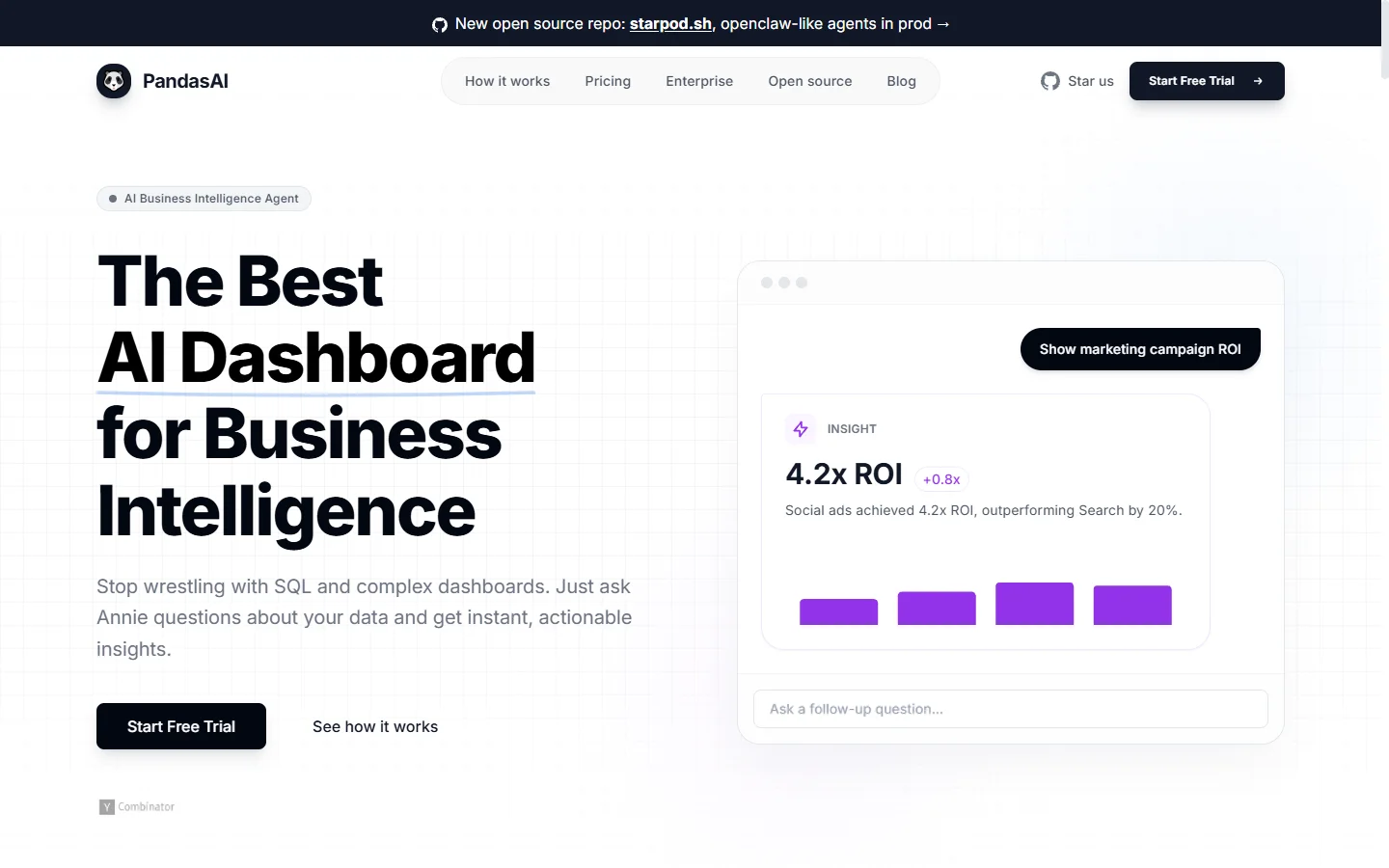
PandasAI is an open-source Python library that brings natural language querying to pandas DataFrames, allowing analysts, engineers, and data scientists to ask questions of their data in plain English and receive answers in the form of tables, charts, and summaries. Built on top of the standard pandas ecosystem, the pandas ai library connects to large language models such as OpenAI GPT, Anthropic Claude, Azure OpenAI, Google Gemini, and local models via LangChain, translating user prompts into pandas code that executes against the underlying DataFrame.
The pandas ai project focuses on reducing the friction between asking a data question and getting a reliable answer. Instead of writing boilerplate groupby, filter, and aggregation code, users can ask "what were the top five products by revenue last quarter?" and PandasAI will generate the pandas query, run it, and return the result along with an explanation of the logic it used. The library also supports semantic data frames, smart agents, and custom skills that let teams define reusable business logic and governance rules on top of their data.
PandasAI is widely used by data analysts who want to accelerate exploratory analysis, by product teams embedding natural-language data exploration into internal tools, and by engineers building lightweight BI assistants over existing CSV, Parquet, SQL, and data warehouse sources. With support for conversational memory, chart generation, and integration with Streamlit, FastAPI, and Jupyter notebooks, pandas ai functions as a flexible foundation for any application that needs an LLM-powered analytics layer.
⚡ Key Features of PandasAI
Natural Language DataFrame Queries
Ask questions about any pandas DataFrame in plain English and get back tables, aggregates, or calculated values without writing pandas code. The pandas ai engine translates prompts into executable pandas or SQL queries using the configured LLM, then runs them against your data and returns structured results. This dramatically reduces the time required for exploratory analysis and lowers the barrier for non-technical users who need to interrogate spreadsheets or database extracts. Typical sessions let analysts move through dozens of questions in the time it would take to write a handful of manual queries.
Automatic Chart Generation
Request a visualization in natural language — such as "plot monthly revenue by region as a bar chart" — and PandasAI will produce the matplotlib or plotly chart directly inside your notebook or application. The pandas ai library chooses sensible chart types based on the variables involved and applies reasonable defaults for titles, axes, and colors. Generated charts can be saved, exported, or embedded in Streamlit and Jupyter dashboards without additional code. This feature makes it practical to treat visualization as a conversational step rather than a separate coding task.
Multi-LLM Support
PandasAI supports OpenAI, Anthropic, Google Gemini, Azure OpenAI, Hugging Face, and local models via LangChain and Ollama, so teams can choose the model that fits their cost, latency, and privacy needs. The pandas ai agent abstracts away provider-specific details, exposing a unified API for prompting and response handling. Organizations with compliance constraints can route queries through self-hosted models while still benefiting from the library's prompt engineering and caching layers. This portability also protects projects from being locked into a single LLM vendor.
SmartDataframe and SmartDatalake Agents
SmartDataframe wraps a single DataFrame with conversational capabilities, while SmartDatalake joins multiple DataFrames and lets the pandas ai agent reason across them to answer cross-source questions. The agent maintains conversation memory, so follow-up questions like "now filter that to North America" work as expected. SmartDatalake is particularly useful for reproducing typical BI workflows where answering a question requires combining sales, customer, and product tables. Both agents expose hooks for logging, permissions, and custom response formatting.
Custom Skills and Business Logic
Developers can register custom Python functions as "skills" that the pandas ai agent can invoke when relevant, letting teams encode internal metrics, KPI definitions, or domain-specific transformations. Skills are exposed to the LLM through docstrings, so the agent knows when and how to call them during analysis. This is essential for ensuring consistent definitions of things like churn, active users, or net revenue across an organization. Skills also provide a clean way to restrict what operations the agent can perform on sensitive data.
Conversational Memory and Explanations
PandasAI maintains conversation memory so users can ask a series of related questions without restating context, and each response includes an explanation of the generated code and logic. This transparency helps analysts verify that the agent interpreted the question correctly before trusting the result. The pandas ai library also surfaces the actual pandas code it ran, making it easy to copy that code into a notebook for reuse or auditing. Explanations double as a learning tool for users who want to improve their pandas skills.
Open Source and Self-Hostable
PandasAI is distributed under a permissive open-source license on GitHub and can be installed via pip in any Python environment. Teams can self-host the library inside VPCs or on-premises infrastructure, with full control over logging, model routing, and data handling. An enterprise version adds workspace collaboration, dashboards, and governance features on top of the open core. The open codebase also means community contributors continuously expand connector and LLM support.
🎯 Use Cases for PandasAI
⚖️ PandasAI Pros & Cons
Advantages
- ✓Open source and easy to install via pip
- ✓Works with any pandas DataFrame and multiple LLM providers
- ✓Generates charts and explanations alongside answers
- ✓Supports conversational memory for follow-up questions
- ✓Custom skills allow teams to encode business logic
Drawbacks
- ✗Answer quality depends on the underlying LLM's reasoning
- ✗Can generate incorrect code on ambiguous or dirty data
- ✗Sending data to hosted LLMs raises privacy considerations
- ✗Advanced enterprise features require a paid plan
📖 How to Use PandasAI
Install the library with pip install pandasai in your Python environment.
Import PandasAI and wrap your DataFrame with SmartDataframe or SmartDatalake.
Configure an LLM provider such as OpenAI, Anthropic, or a local model via the llm parameter.
Call the chat method with a natural language question to receive a table, chart, or value.
Inspect the generated code and explanation to verify results before using them in production.
Register custom skills or connect to databases for more advanced workflows.
❓ PandasAI FAQ
Yes. The pandas ai library is open source under a permissive license and free to install and self-host. You will typically pay for API usage of whichever LLM you connect it to, and an enterprise edition is available for teams that need governance and collaboration features.
PandasAI supports OpenAI, Anthropic Claude, Google Gemini, Azure OpenAI, Hugging Face models, and local models through LangChain and Ollama, so teams can choose between hosted and self-hosted options.
PandasAI is most comfortable with DataFrames that fit in memory. For larger datasets, teams typically connect it to a SQL or warehouse source and let the pandas ai agent generate SQL that executes in the database rather than in Python.
By default, prompts and sample rows can be sent to the configured LLM for context. Users who need to keep data local can configure self-hosted models or anonymize data before passing it to PandasAI.
Not directly. PandasAI is best thought of as a conversational analytics layer that can power custom internal tools, while Tableau and Power BI remain better suited for polished dashboards and enterprise reporting.
Related to PandasAI

A2E AI
A2E AI productivity platform converts audio and video recordings into transcripts, summaries, and action items with speaker identification.

Abnormal AI
Abnormal AI uses behavioral AI to detect business email compromise, account takeover, and socially engineered phishing that bypasses secure email gateways.

Abridge AI
Abridge AI medical documentation platform that records and summarizes clinical conversations into structured physician notes in real time.

Accrete AI
Accrete AI builds autonomous enterprise AI agents for defense, government, and commercial intelligence workflows.

Amazon Bedrock
Amazon Bedrock is AWS's fully managed service for building generative AI apps using foundation models from Anthropic, Meta, Mistral, and more.
Flowise AI
Flowise AI is an open-source low-code platform for building custom LLM apps, agents, and chatbots via a drag-and-drop flow editor.
Featured on WhatIf.ai
Add this badge to your website to show you're listed on WhatIf AI
Alternatives to PandasAI

A2E AI
A2E AI productivity platform converts audio and video recordings into transcripts, summaries, and action items with speaker identification.

Abnormal AI
Abnormal AI uses behavioral AI to detect business email compromise, account takeover, and socially engineered phishing that bypasses secure email gateways.

Abridge AI
Abridge AI medical documentation platform that records and summarizes clinical conversations into structured physician notes in real time.


Air AI
Air AI conducts autonomous full-length AI phone calls for sales prospecting, appointment setting, and customer service without human agents.