
OneStart AI
Freemium ✓ Verified 🔥 TrendingOneStart AI is an all-in-one AI productivity browser bundling chat, document analysis, and search into a single workspace.
📋 About OneStart AI
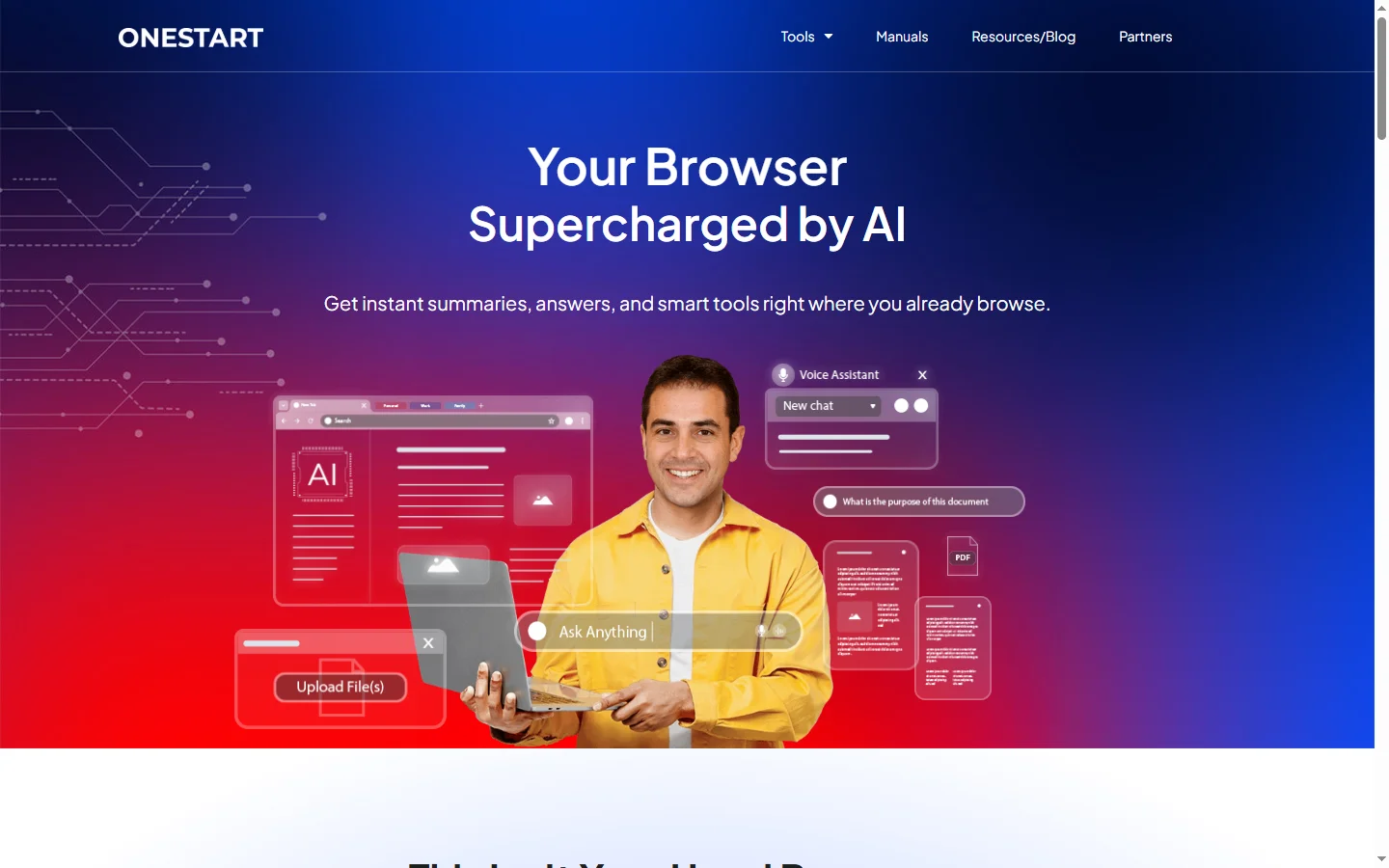
OneStart AI is a productivity-focused AI browser and workspace that bundles multiple AI models, document analysis, web search, and note-taking into a single unified interface. Instead of juggling ChatGPT, Claude, Gemini, and various specialized tools in separate tabs, onestart ai users access these capabilities from a dedicated sidebar that stays available no matter which site they are visiting. The browser is designed to feel familiar to Chrome and Edge users, with import support for bookmarks and extensions, while adding AI-native features that treat the model as a first-class participant in daily work.
The core of the onestart ai experience is a persistent AI side panel that can summarize the current page, answer questions about PDFs, draft emails, and run searches that combine traditional web results with AI synthesis. Users can switch between multiple underlying models depending on the task — using a strong reasoning model for research, a fast model for quick lookups, or an image model for design work — without opening separate accounts. Uploaded files and conversations persist across sessions, creating a searchable knowledge base that grows with each use.
OneStart AI targets knowledge workers, students, and small businesses who want the productivity gains of multiple AI subscriptions without the cost and context switching. The platform also includes privacy controls, local-first document handling where possible, and an ad-blocker built in. For users who resist installing yet another browser, onestart ai offers a web app and browser extension that deliver most of the sidebar functionality inside Chromium-based browsers.
⚡ Key Features of OneStart AI
Multi-Model AI Sidebar
The onestart ai sidebar gives users access to leading models from OpenAI, Anthropic, Google, and open-source providers through a single panel that stays docked next to any webpage. Users can switch models with a dropdown, run the same prompt against multiple models to compare, and save favorite prompts for reuse. Because the sidebar is part of the browser, it always has context for the current tab and can answer questions about whatever is open. This eliminates the copy-paste dance of pulling page content into a separate chat tool.
Page and PDF Summarization
Click a single button to summarize the article, PDF, or research paper currently open in the browser, with optional controls for length, tone, and target audience. The onestart ai summarizer preserves key sections and quotes so users can trust the output without reading the full source. Summaries can be copied, saved as notes, or turned into follow-up questions through the chat. This feature is particularly useful for researchers, students, and knowledge workers who process large volumes of written content.
AI-Powered Search
The built-in search combines traditional web results with AI synthesis, producing a concise answer at the top of the page followed by the sources it drew from. Users can ask natural language questions and onestart ai will answer in plain text with citations, or switch to a classic link view when they prefer to browse sources themselves. The search respects privacy by not tying queries to an advertising profile by default. It also integrates with the sidebar so follow-up questions feel like a continuation of the same conversation.
Document and Note Workspace
Uploaded PDFs, Word files, and text notes live inside a workspace where the onestart ai agent can reference them across sessions. Users can tag documents, organize them into folders, and run queries that span multiple uploads, which is useful for literature reviews, client dossiers, or research projects. The workspace also supports long-form notes and drafts created alongside AI conversations, so writing and research live side by side. Everything is searchable from the command bar.
Built-in Ad Blocker and Privacy Controls
OneStart AI ships with an ad blocker and tracker protection that works out of the box, improving page load speeds and reducing noise while browsing. The onestart ai browser also gives users granular controls over what data is sent to AI providers, with a local-first mode that keeps sensitive documents off third-party servers where possible. Private browsing and AI sandboxing ensure that conversations do not leak between profiles. These controls help professionals who work with confidential information feel more comfortable using AI features.
Chrome Extension Compatibility
Because OneStart AI is built on Chromium, it supports extensions from the Chrome Web Store, allowing users to keep their password managers, productivity tools, and work extensions without interruption. Bookmarks, passwords, and settings can be imported during setup, minimizing switching cost. This compatibility is a key reason many teams trial onestart ai — they can experiment with AI-native features without abandoning their existing toolchain. For users who prefer to stay in Chrome or Edge, a companion extension provides most of the same sidebar features.
Prompt Library and Shortcuts
A built-in prompt library lets users save and share reusable prompts for common tasks such as rewriting emails, summarizing meetings, or drafting social posts. The onestart ai shortcut bar assigns keyboard commands to favorite prompts, turning multi-step AI interactions into single keystrokes. Teams can publish shared prompt collections so colleagues benefit from the same tuned instructions. This system turns casual chat usage into repeatable productivity workflows.
🎯 Use Cases for OneStart AI
⚖️ OneStart AI Pros & Cons
Advantages
- ✓Bundles multiple AI models into one subscription
- ✓Sidebar works on any webpage or PDF
- ✓Built-in ad blocker and privacy controls
- ✓Chrome extensions and bookmarks import cleanly
- ✓Free tier covers most casual use
Drawbacks
- ✗Installing a new browser is a barrier for some users
- ✗Advanced features require a paid plan
- ✗Smaller extension ecosystem than Chrome itself
- ✗AI output quality still varies by underlying model
📖 How to Use OneStart AI
Download the OneStart AI browser from onestart.ai or install the companion extension in Chrome or Edge.
Sign in with email or Google and optionally import bookmarks, extensions, and passwords from your current browser.
Open any webpage or PDF and click the sidebar icon to launch the onestart ai chat with current-page context.
Switch between available AI models from the dropdown depending on whether you need reasoning, speed, or image generation.
Save useful prompts to the prompt library and assign keyboard shortcuts for workflows you repeat often.
Upload documents into the workspace to build a searchable knowledge base that grows across sessions.
❓ OneStart AI FAQ
Yes. onestart ai offers a free tier with generous daily limits on core models, along with paid plans that unlock higher usage caps, premium models, and larger document workspaces.
No. A companion extension provides most of the sidebar functionality inside existing Chromium browsers for users who prefer not to switch, though the full desktop browser includes a richer feature set.
OneStart AI integrates leading models from OpenAI, Anthropic, Google, and open-source providers, letting users pick the model that best suits reasoning, speed, or creative tasks.
OneStart AI provides privacy controls that let users decide what is shared with AI providers, including a local-first mode for sensitive documents. Conversations and uploads are tied to the user's account and not used for advertising.
Yes. Paid plans support shared prompt libraries and team workspaces so colleagues can standardize on the same AI instructions and reference documents.
Related to OneStart AI

A2E AI
A2E AI productivity platform converts audio and video recordings into transcripts, summaries, and action items with speaker identification.

Abby AI
Abby AI is an AI therapy and mental wellness chatbot that offers CBT-informed conversations, mood tracking, and self-guided coping tools.

Abnormal AI
Abnormal AI uses behavioral AI to detect business email compromise, account takeover, and socially engineered phishing that bypasses secure email gateways.

Abridge AI
Abridge AI medical documentation platform that records and summarizes clinical conversations into structured physician notes in real time.

Fellow AI
Fellow AI is an AI meeting assistant that records, transcribes, and summarizes meetings with action items and shareable notes.

Nora AI
Nora AI is an AI research copilot for scientists and academics that searches, summarizes, and synthesizes scholarly literature.
Featured on WhatIf.ai
Add this badge to your website to show you're listed on WhatIf AI
Alternatives to OneStart AI

A2E AI
A2E AI productivity platform converts audio and video recordings into transcripts, summaries, and action items with speaker identification.

Abnormal AI
Abnormal AI uses behavioral AI to detect business email compromise, account takeover, and socially engineered phishing that bypasses secure email gateways.

Abridge AI
Abridge AI medical documentation platform that records and summarizes clinical conversations into structured physician notes in real time.


Air AI
Air AI conducts autonomous full-length AI phone calls for sales prospecting, appointment setting, and customer service without human agents.