
Glean AI
Paid ✓ VerifiedGlean AI is an enterprise AI search and work assistant that unifies knowledge across Slack, Google Drive, Notion, Jira, and dozens of other company apps.
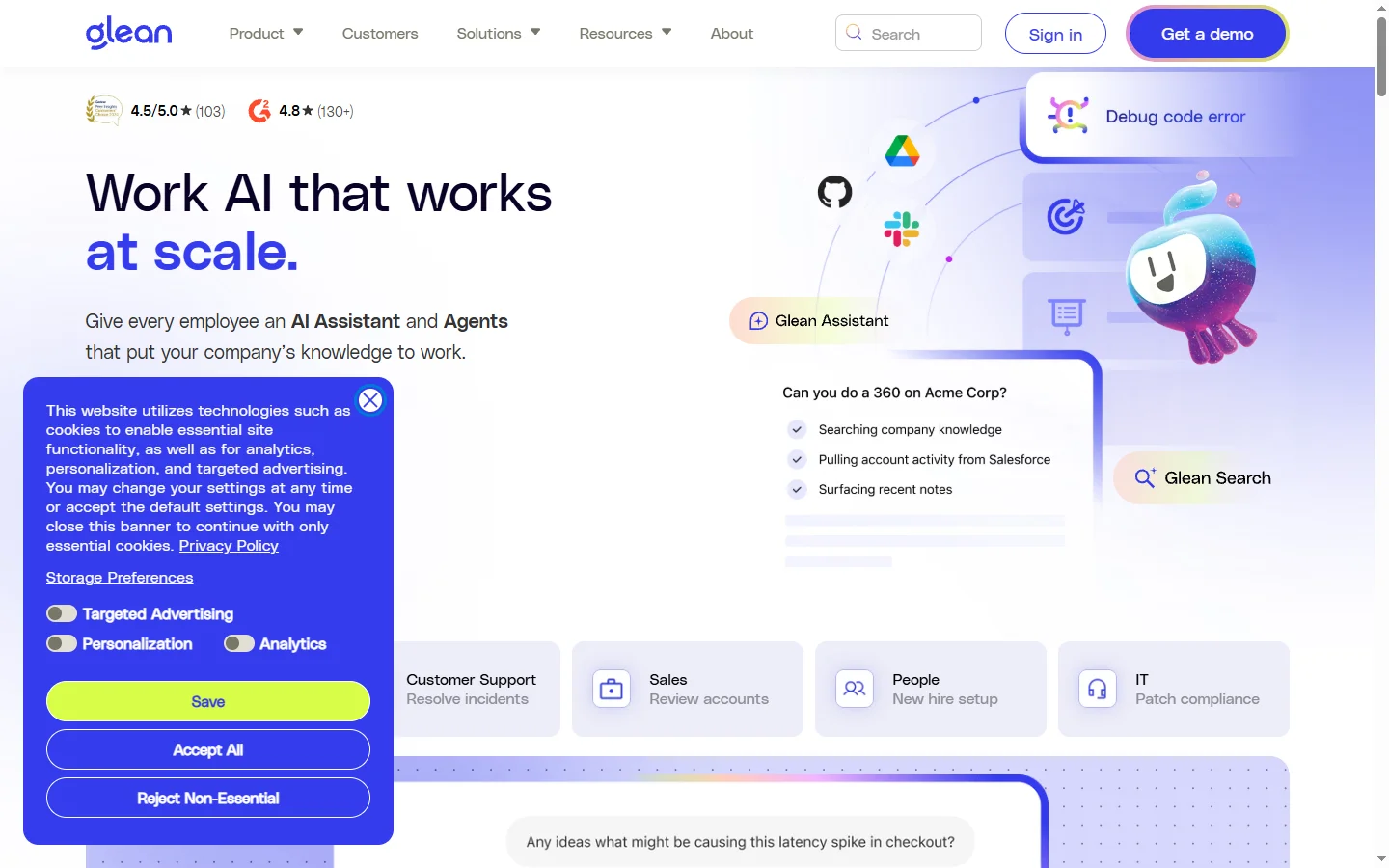
📋 About Glean AI
Glean AI (glean.com) is an enterprise AI search and work assistant that indexes every app a company uses — Slack, Google Drive, Notion, Confluence, Jira, Salesforce, Zendesk, GitHub, and dozens more — and gives employees a single search and chat interface across all of them. Rather than forcing knowledge workers to remember which system holds which document, the glean ai assistant retrieves answers from across the entire corporate knowledge base, respecting source permissions so users only see what they are authorized to access. This permissions-aware retrieval is the technical capability that distinguishes Glean from consumer-grade AI search.
The platform combines semantic search, knowledge graph construction, and large language model reasoning to answer questions in natural language with cited sources from across the company. Ask 'what is the status of the Acme deal' and the glean ai assistant pulls relevant Salesforce records, Slack threads, email exchanges, and meeting notes, synthesizes them into a coherent answer, and links every claim back to its source document. Glean also builds personalized work feeds that surface relevant documents and people based on what each employee is working on, learning patterns over time without leaking information across permission boundaries.
Glean is sold to mid-market and enterprise companies who feel the pain of fragmented knowledge across many SaaS apps. Customers include large tech companies, financial services firms, and consulting organizations, where employee time spent hunting for information is a significant cost. Pricing is per-seat with annual contracts and varies based on company size and connector count. With strong security posture including SOC 2 Type II, HIPAA support, and customer-managed encryption keys, the glean ai platform has become a category leader in enterprise AI search, often replacing legacy intranet search and standalone knowledge management tools.
⚡ Key Features of Glean AI
Unified Enterprise Search
The glean ai platform indexes content across Slack, Google Drive, Microsoft 365, Notion, Confluence, Jira, Salesforce, Zendesk, GitHub, and dozens more connectors, giving employees a single search bar that returns results from every system at once. Semantic ranking surfaces what is most relevant rather than relying on keyword matching, so the right document appears even if you do not remember the exact title. Permissions are enforced at query time so each user only sees what they are authorized to access in the source system.
Permissions-Aware AI Answers
When the glean ai assistant generates answers from indexed content, it respects source-system permissions at retrieval time — never surfacing information that a user is not authorized to see. This is the core technical capability that makes Glean usable for enterprise deployment where misuse of permissions can have legal or compliance consequences. Permissions sync continuously, so when a user loses access in a source system, Glean stops surfacing that content immediately.
Generative AI Assistant
Beyond search, Glean offers a chat assistant that answers questions, drafts content, summarizes documents, and performs multi-step research across the indexed knowledge graph. The glean ai assistant cites every source it pulls from, so users can verify claims and follow up on the underlying documents. Custom prompts and workflows can be saved as reusable agents — a 'weekly status summary' agent or a 'competitive intelligence brief' agent that draws from the same set of sources each time.
Personalized Work Feed
Glean builds personalized feeds that surface documents, conversations, and people relevant to what each employee is working on, learning over time from search activity and document interactions. The glean ai personalization model respects permission boundaries so personalization signals never leak information across teams. Users discover relevant documents proactively rather than having to search for them, which is particularly valuable during onboarding and project ramp-up.
Knowledge Graph and Expert Discovery
Glean constructs a knowledge graph mapping people, documents, projects, and topics across the company. Employees can find who owns a particular project, who is an expert in a given area, or who has worked on similar problems before — replacing the old habit of pinging multiple Slack channels to find the right person. The glean ai expert discovery feature has become a favorite of cross-functional teams in large companies where personal networks alone do not cover the org.
Custom Apps and Workflow Automation
Build custom AI-powered apps inside Glean for specific business workflows — RFP responses, customer onboarding briefs, support article generation, sales call prep. The glean ai app builder lets non-developers configure apps that retrieve from specific sources, apply specific prompts, and produce structured output. This turns Glean from a general-purpose assistant into a platform for codifying repeatable knowledge work across the organization.
Enterprise Security and Compliance
The glean ai platform is built for enterprise security with SOC 2 Type II compliance, HIPAA support, customer-managed encryption keys, data residency options, and granular audit logging. Glean runs in a single-tenant model with no cross-customer data mixing, and content is never used to train shared foundation models. This security posture is what makes the platform acceptable to legal and security teams at regulated companies including financial services and healthcare organizations.
🎯 Use Cases for Glean AI
⚖️ Glean AI Pros & Cons
Advantages
- ✓Permissions-aware retrieval across dozens of enterprise apps
- ✓Best-in-class semantic search and answer quality
- ✓Strong personalization that respects security boundaries
- ✓Custom app builder enables codified workflows
- ✓Enterprise-grade security and compliance posture
Drawbacks
- ✗Expensive — enterprise pricing only, no individual plans
- ✗Implementation effort required for connectors and permissions
- ✗Quality of answers depends on quality of underlying documents
- ✗Smaller companies may not have enough content to justify cost
📖 How to Use Glean AI
Visit glean.com and request a demo — Glean sells exclusively to companies, not individual users.
Work with the Glean implementation team to connect your company's SaaS apps and configure permissions sync.
Wait for the initial index to build — this can take days for large companies with millions of documents.
Roll out to employees via SSO with the company-branded glean ai assistant accessible from web, desktop, mobile, and browser extension.
Train employees on effective query patterns — natural language questions work better than keyword search.
Build custom apps for repeatable workflows like RFP responses, customer briefs, or onboarding summaries to maximize platform value.
❓ Glean AI FAQ
No. The glean ai platform is sold to companies on a per-seat annual contract basis with no free tier or individual plans. Pricing is not publicly listed but typically starts in the tens of thousands of dollars per year for mid-market companies and scales with seat count and connector requirements.
Glean has dozens of connectors covering Slack, Microsoft 365, Google Workspace, Notion, Confluence, Jira, Salesforce, Zendesk, GitHub, GitLab, Asana, Linear, Box, Dropbox, and many more. The glean ai platform also offers a custom connector framework for proprietary internal systems.
The glean ai assistant respects source-system permissions at retrieval time, so users only see content they are authorized to access in the underlying system. Permissions sync continuously, so when a user loses access in the source system, Glean stops surfacing that content immediately. This is the core capability that makes Glean usable for enterprise deployment.
Yes. Glean is built for enterprise security with SOC 2 Type II compliance, HIPAA support, customer-managed encryption keys, data residency options, and granular audit logging. Glean runs in a single-tenant model with no cross-customer data mixing, and customer content is never used to train shared foundation models.
ChatGPT Enterprise offers a general-purpose chatbot with optional company data connections, while the glean ai assistant is purpose-built to index and search across all enterprise apps with permissions-aware retrieval. Glean's depth of enterprise integration, knowledge graph, and expert discovery features go well beyond what ChatGPT Enterprise provides for enterprise search use cases.
Initial implementation typically takes a few weeks for mid-market companies and longer for large enterprises with many connectors and custom systems. Index build time depends on data volume — large companies with millions of documents may take days for the initial crawl. After initial rollout, ongoing maintenance is minimal.
Reviewers consistently rate the glean ai platform as the category leader in enterprise AI search, with permissions-aware retrieval and answer quality cited as standout differentiators. Common critiques are the high cost and implementation overhead, which make it impractical for smaller companies. For mid-market and enterprise organizations with fragmented knowledge, Glean is widely considered one of the highest-ROI AI investments available.
Related to Glean AI

Accrete AI
Accrete AI builds autonomous enterprise AI agents for defense, government, and commercial intelligence workflows.

Alex AI
Alex AI is a macOS AI assistant that lives in your menu bar, offering instant writing help, code assistance, and context-aware productivity features.

Amelia AI
Amelia is an enterprise conversational AI platform that automates customer service, IT helpdesk, and employee support workflows at scale.

Ask Sage AI
Ask Sage AI is a multi-model generative AI platform built for government, defense, and regulated enterprises with secure, auditable deployments.

Bardeen AI
Bardeen AI is a browser-based automation platform that uses AI to scrape, synthesize, and move data between the tools knowledge workers use every day.

Perplexity AI
Perplexity ai search engine that answers questions with real-time web sources and numbered citations.
Featured on WhatIf.ai
Add this badge to your website to show you're listed on WhatIf AI
Alternatives to Glean AI


A2E AI
A2E AI productivity platform converts audio and video recordings into transcripts, summaries, and action items with speaker identification.


Abnormal AI
Abnormal AI uses behavioral AI to detect business email compromise, account takeover, and socially engineered phishing that bypasses secure email gateways.


Abridge AI
Abridge AI medical documentation platform that records and summarizes clinical conversations into structured physician notes in real time.


Air AI
Air AI conducts autonomous full-length AI phone calls for sales prospecting, appointment setting, and customer service without human agents.