
Upheal AI
Free TrialUpheal AI is an AI assistant for mental health professionals that automates session notes, progress tracking, and HIPAA-compliant documentation.
📋 About Upheal AI
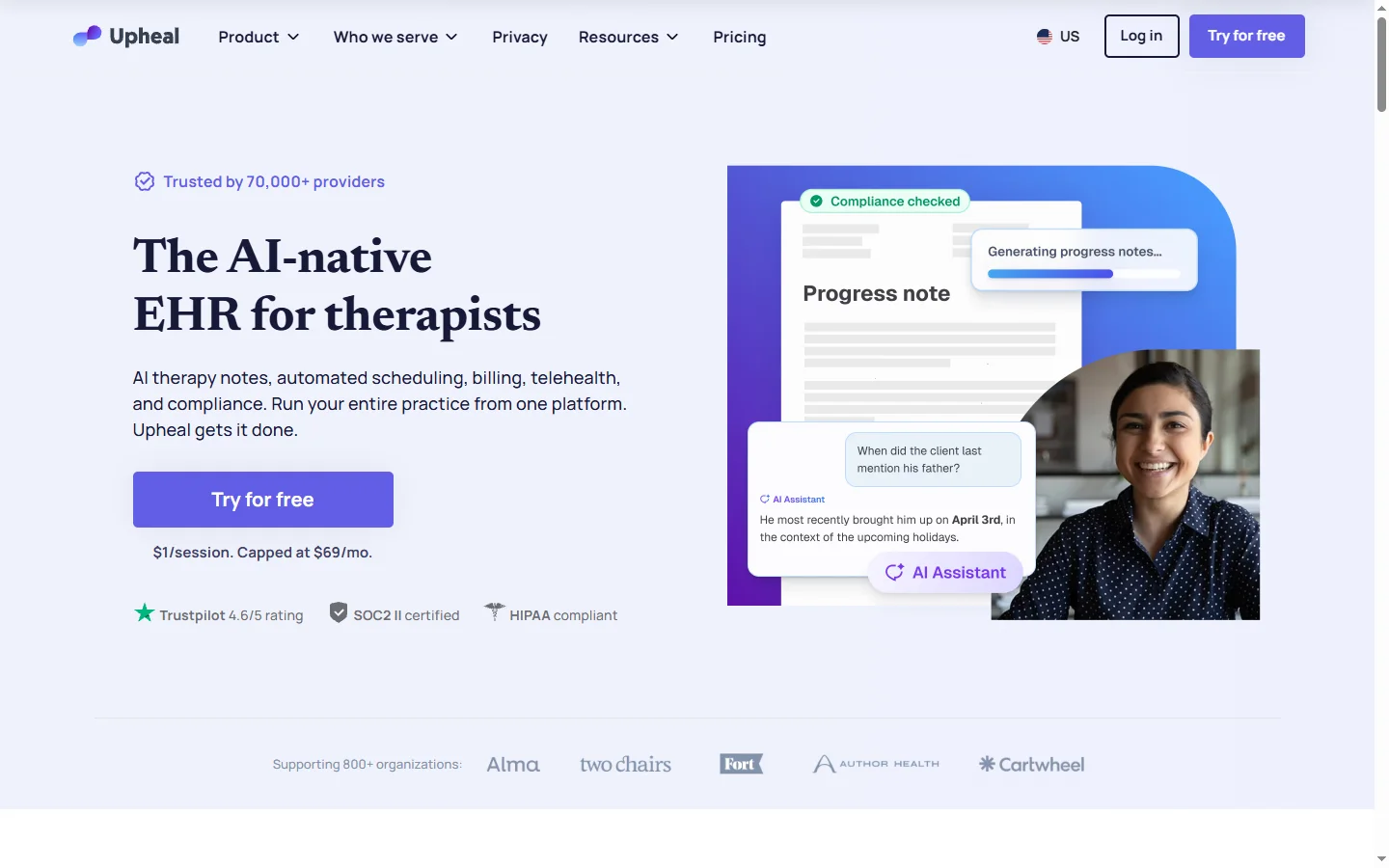
Upheal AI is a clinical documentation assistant built specifically for therapists, psychologists, and mental health professionals. It joins video or audio therapy sessions, transcribes the conversation, and generates structured clinical notes automatically, saving clinicians significant time on paperwork. The platform is built with HIPAA compliance in mind and focuses exclusively on behavioral health workflows rather than generic medical transcription.
After each session, Upheal produces SOAP, DAP, or custom-format notes along with extracted diagnostic indicators, treatment goals, and interventions. It also tracks client progress over time, surfacing patterns in mood, themes, and goal attainment across multiple sessions. Clinicians review and edit the generated notes before they are saved, preserving professional judgment while eliminating the blank-page problem that leads to documentation burnout. Integrations with common electronic health record systems let notes flow directly into the clinician's existing workflow.
Upheal AI serves private-practice therapists, group practices, and telehealth platforms that want to reduce administrative load and improve note quality. By handling transcription, note drafting, and progress tracking automatically, Upheal typically returns hours per week per clinician. The service is offered through monthly subscriptions priced per clinician, with tiered plans covering features like custom note templates, insurance claim support, and administrative dashboards for group practices.
⚡ Key Features of Upheal AI
Automatic Session Transcription
Upheal joins live therapy sessions over video or audio and produces an accurate, speaker-separated transcript of the conversation. The transcription engine is tuned for the vocabulary and pacing of clinical conversations, including emotional language and clinical terminology. Clinicians can reference the transcript when writing notes, though most rely on the AI-generated summary instead. Recordings and transcripts are stored in HIPAA-compliant infrastructure.
AI-Generated Clinical Notes
Each session produces a structured note in SOAP, DAP, BIRP, or custom formats, including subjective client statements, clinician observations, assessment, and plan. The AI extracts key themes, risk indicators, and intervention techniques used during the session. Notes are presented as drafts that clinicians review and refine before saving, ensuring human oversight on every record. This drastically reduces the time spent on post-session documentation.
Progress Tracking Across Sessions
Upheal analyzes notes and transcripts over time to surface trends in client mood, recurring themes, treatment goal progress, and intervention outcomes. Clinicians get a dashboard view of each client's trajectory that would be difficult to assemble by reading past notes manually. This supports better treatment planning and gives clinicians evidence to share with clients during progress reviews. The tracking is private to the clinician and the client record.
Custom Note Templates
Create or import note templates that match your practice's preferred structure, including specific sections for risk assessment, medication review, or treatment plan updates. The AI adapts its output to the selected template for each client or session type. This is particularly useful for specialty practices like substance use treatment, couples therapy, or child and adolescent care. Templates can be shared across a group practice for consistency.
HIPAA-Compliant Infrastructure
Upheal is built on encrypted, HIPAA-compliant infrastructure and signs Business Associate Agreements with clinical customers. Data is isolated per practice, access controls restrict who can view records, and audit logs track every access. This makes the service suitable for private practices, group practices, and telehealth companies that need to meet regulatory obligations. Security practices are documented and undergo regular third-party review.
EHR and Telehealth Integrations
Upheal integrates with major electronic health record systems and telehealth platforms, allowing notes to flow into the clinician's existing workflow without manual copy-paste. Integrations include common practice management systems and video conferencing tools used by therapists. This ensures Upheal augments rather than replaces the practice's core systems. New integrations are added regularly based on customer demand.
🎯 Use Cases for Upheal AI
⚖️ Upheal AI Pros & Cons
Advantages
- ✓Purpose-built for mental health rather than generic medical transcription
- ✓HIPAA-compliant infrastructure with Business Associate Agreements
- ✓Significant time savings per session on documentation
- ✓Progress tracking adds clinical value beyond transcription
- ✓Clinician review step preserves professional judgment
Drawbacks
- ✗Per-clinician pricing can add up for larger group practices
- ✗Requires client consent for recording, which some decline
- ✗Quality depends on clear audio from the session
- ✗Limited value for clinicians who prefer minimal notes
📖 How to Use Upheal AI
Sign up at upheal.io and complete the HIPAA Business Associate Agreement during onboarding.
Connect your telehealth platform or use Upheal's built-in video room for sessions.
Obtain client consent to record and let Upheal join the session automatically.
After the session, review the AI-generated note and edit any sections that need clinical refinement.
Save the finalized note to Upheal's record or export it to your EHR through an integration.
Use the progress dashboard to review trends across sessions before your next appointment.
❓ Upheal AI FAQ
Yes. Upheal is built on HIPAA-compliant infrastructure and signs Business Associate Agreements with clinical customers. Data is encrypted in transit and at rest, and access controls restrict who can view records.
Most clinicians report cutting documentation time from 10 to 15 minutes per session down to 2 to 5 minutes of review. Over a full caseload, this typically returns 5 to 10 hours per week.
No. Upheal drafts notes that clinicians review and edit before saving. The clinician remains responsible for clinical judgment, diagnosis, and treatment decisions. Upheal handles the mechanical parts of documentation only.
Upheal supports SOAP, DAP, BIRP, and custom note templates. Practices can create or import templates that match their preferred structure, and the AI adapts its output accordingly.
Yes. Clinicians must obtain informed consent from clients before recording any session. Upheal provides consent language and tools to document consent within each client record.
Related to Upheal AI

15.ai
15.ai is a free AI voice cloning tool famous for generating realistic speech from cartoon, video game, and animated show characters using as little as 15 seconds of source audio.

A2E AI
A2E AI productivity platform converts audio and video recordings into transcripts, summaries, and action items with speaker identification.

Abby AI
Abby AI is an AI therapy and mental wellness chatbot that offers CBT-informed conversations, mood tracking, and self-guided coping tools.

Abnormal AI
Abnormal AI uses behavioral AI to detect business email compromise, account takeover, and socially engineered phishing that bypasses secure email gateways.

Abridge AI
Abridge AI medical documentation platform that records and summarizes clinical conversations into structured physician notes in real time.

Accrete AI
Accrete AI builds autonomous enterprise AI agents for defense, government, and commercial intelligence workflows.
Featured on WhatIf.ai
Add this badge to your website to show you're listed on WhatIf AI
Alternatives to Upheal AI

A2E AI
A2E AI productivity platform converts audio and video recordings into transcripts, summaries, and action items with speaker identification.

Abnormal AI
Abnormal AI uses behavioral AI to detect business email compromise, account takeover, and socially engineered phishing that bypasses secure email gateways.

Abridge AI
Abridge AI medical documentation platform that records and summarizes clinical conversations into structured physician notes in real time.


Air AI
Air AI conducts autonomous full-length AI phone calls for sales prospecting, appointment setting, and customer service without human agents.