
Spline AI
Freemium ✓ Verified 🔥 TrendingAI-powered 3D design tool that lets you generate, edit, and animate 3D scenes, objects, and materials using natural language prompts in the browser.
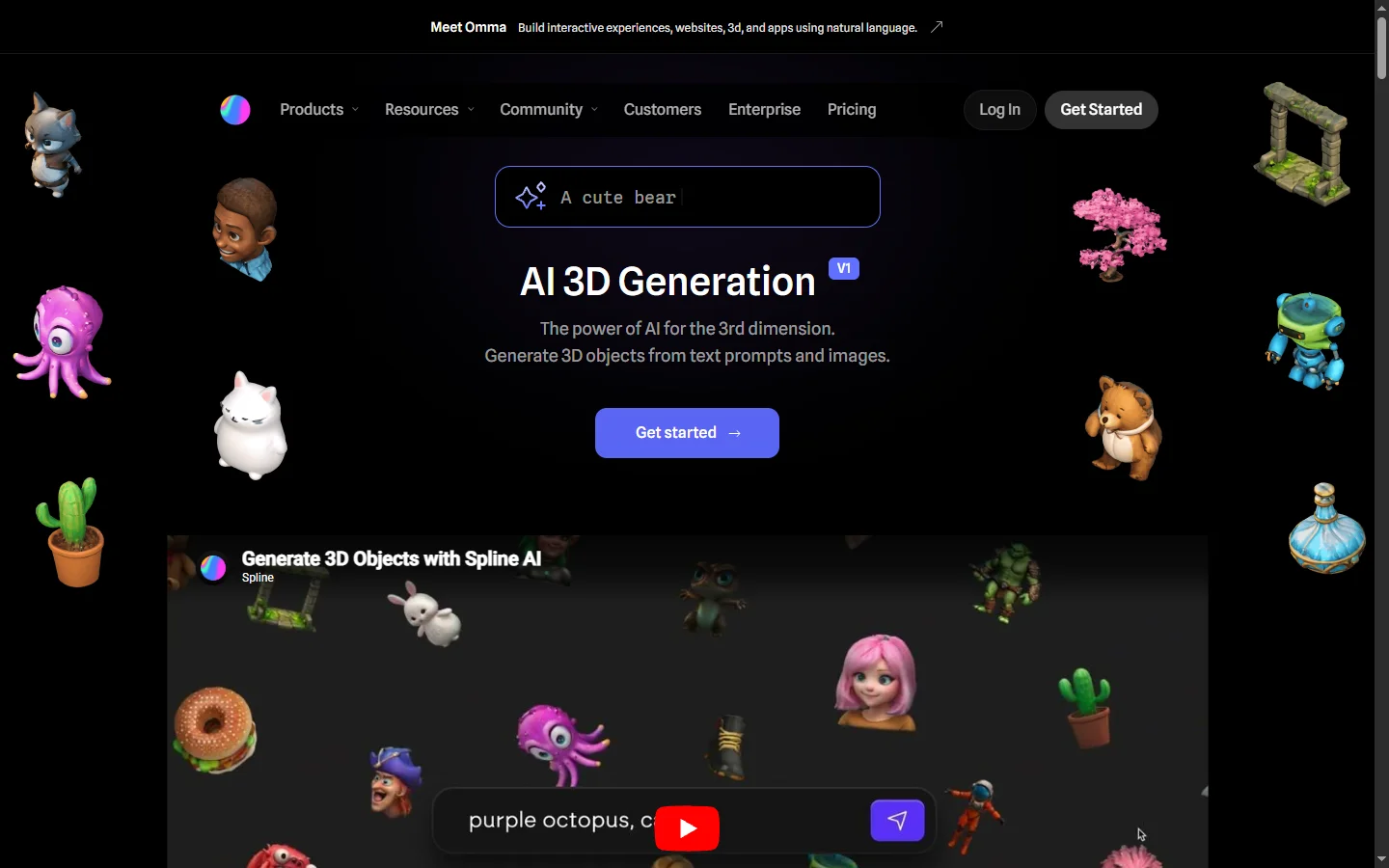
📋 About Spline AI
Spline AI is an AI extension of the popular browser-based 3D design platform Spline, bringing generative capabilities to 3D object creation, material design, and scene composition. Designers can now type natural language prompts to spawn new 3D objects, apply materials, or generate entire scenes, then refine the results using Spline's traditional editing tools. This dramatically lowers the learning curve for 3D design and accelerates the ideation phase for designers who previously struggled to translate visual concepts into 3D geometry.
The platform combines a real-time 3D editor with AI models that understand natural-language descriptions of shape, style, and motion. Users can prompt for specific objects like 'a low-poly space rocket' or apply materials like 'matte ceramic with blue glaze' and see results render in seconds. Animation can be generated by describing the desired motion, and entire scenes can be drafted from a paragraph-length description. Because Spline runs entirely in the browser, the output can be embedded directly into websites as interactive 3D content without requiring visitors to install plugins.
Spline AI serves UI/UX designers, marketers, game designers, and creative developers who want to produce 3D assets and scenes without mastering traditional tools like Blender or Cinema 4D. Design teams at product companies, agencies, and web3 projects use it to create hero graphics, product visualizations, and interactive web experiences. The free tier makes it accessible to hobbyists and students, while paid tiers add team collaboration, higher AI usage limits, and priority rendering.
⚡ Key Features of Spline AI
Text-to-3D Object Generation
Describe a 3D object in plain language and Spline AI generates geometry you can immediately edit, reshape, and integrate into your scene. Unlike image generators, the output is real editable 3D meshes rather than flat renders, meaning you can view from any angle and apply your own lighting and materials. This enables rapid ideation where designers can test many directions quickly.
AI Material and Texture Generation
Prompt for any material — 'polished chrome with rainbow reflections', 'weathered oak wood', 'holographic fabric' — and Spline AI creates a ready-to-use shader bound to the selected object. Materials are physically-based where possible, so they interact correctly with scene lighting. This removes the steep learning curve of node-based shader editors.
Scene and Animation Generation
Generate complete scenes or keyframe animations from a single prompt, producing composed layouts with lighting and camera setups ready for further refinement. Motion prompts like 'gentle floating' or 'spinning slowly' translate directly into timelines that designers can tune. This is especially useful for rapid landing-page hero animations.
Browser-Based Real-Time Editor
Spline runs entirely in the browser with a familiar layered editor, transform controls, and material inspector — no desktop software required. Projects autosave to the cloud and open on any machine, making collaboration and client reviews frictionless. Performance is sufficient for moderately complex scenes even on mid-range laptops.
Interactive Web Embeds
Export scenes as interactive web components that embed directly into websites without plugins, letting visitors rotate, zoom, and interact with the 3D content natively. This makes Spline outputs immediately useful for product pages, portfolios, and marketing sites that want to stand out with interactive 3D. Performance is optimized so embeds load quickly and render well on mobile.
Team Collaboration
Multiple designers can edit the same Spline scene simultaneously, similar to how Figma enables real-time collaboration in 2D design. Comments, version history, and shared component libraries keep teams aligned and protect work across iterations. This is a major departure from traditional 3D tools that are typically single-user.
🎯 Use Cases for Spline AI
⚖️ Spline AI Pros & Cons
Advantages
- ✓Runs entirely in the browser with no installation required
- ✓Natural-language prompts produce editable 3D meshes
- ✓Real-time collaboration modernizes 3D design workflows
- ✓Interactive web embeds make outputs immediately useful
Drawbacks
- ✗Geometry complexity is limited compared to desktop 3D tools
- ✗Rendering quality below offline engines like Blender Cycles
- ✗AI generation can require multiple prompts to get desired result
📖 How to Use Spline AI
Visit spline.design/ai and sign up for a free account.
Create a new project and open the AI panel in the editor.
Type a prompt describing the object, material, or scene you want to generate.
Refine the result using Spline's regular transform, material, and lighting tools.
Export your scene as a web embed, video, or image to share or publish.
❓ Spline AI FAQ
Spline offers a free tier with limited AI generations per month, and paid plans that unlock higher limits, collaboration features, and priority rendering.
No. Spline runs entirely in the browser, so any computer with a modern browser can open and edit scenes.
Yes. You can export as interactive web embeds, videos, images, or 3D file formats like GLB for use in other tools.
Spline is much easier to learn and runs in the browser, but Blender is more powerful for complex modeling, rendering, and animation. Many designers use Spline for quick web-ready 3D and Blender for heavier work.
Related to Spline AI

15.ai
15.ai is a free AI voice cloning tool famous for generating realistic speech from cartoon, video game, and animated show characters using as little as 15 seconds of source audio.

A2E AI
A2E AI productivity platform converts audio and video recordings into transcripts, summaries, and action items with speaker identification.

Abby AI
Abby AI is an AI therapy and mental wellness chatbot that offers CBT-informed conversations, mood tracking, and self-guided coping tools.

Abnormal AI
Abnormal AI uses behavioral AI to detect business email compromise, account takeover, and socially engineered phishing that bypasses secure email gateways.

Abridge AI
Abridge AI medical documentation platform that records and summarizes clinical conversations into structured physician notes in real time.

Accrete AI
Accrete AI builds autonomous enterprise AI agents for defense, government, and commercial intelligence workflows.
Featured on WhatIf.ai
Add this badge to your website to show you're listed on WhatIf AI
Alternatives to Spline AI

A2E AI
A2E AI productivity platform converts audio and video recordings into transcripts, summaries, and action items with speaker identification.

Abnormal AI
Abnormal AI uses behavioral AI to detect business email compromise, account takeover, and socially engineered phishing that bypasses secure email gateways.

Abridge AI
Abridge AI medical documentation platform that records and summarizes clinical conversations into structured physician notes in real time.


Air AI
Air AI conducts autonomous full-length AI phone calls for sales prospecting, appointment setting, and customer service without human agents.