
Safari AI
Paid ✓ VerifiedSafari AI turns any video camera into a smart sensor that detects events, counts people, and generates real-time operational analytics.
📋 About Safari AI
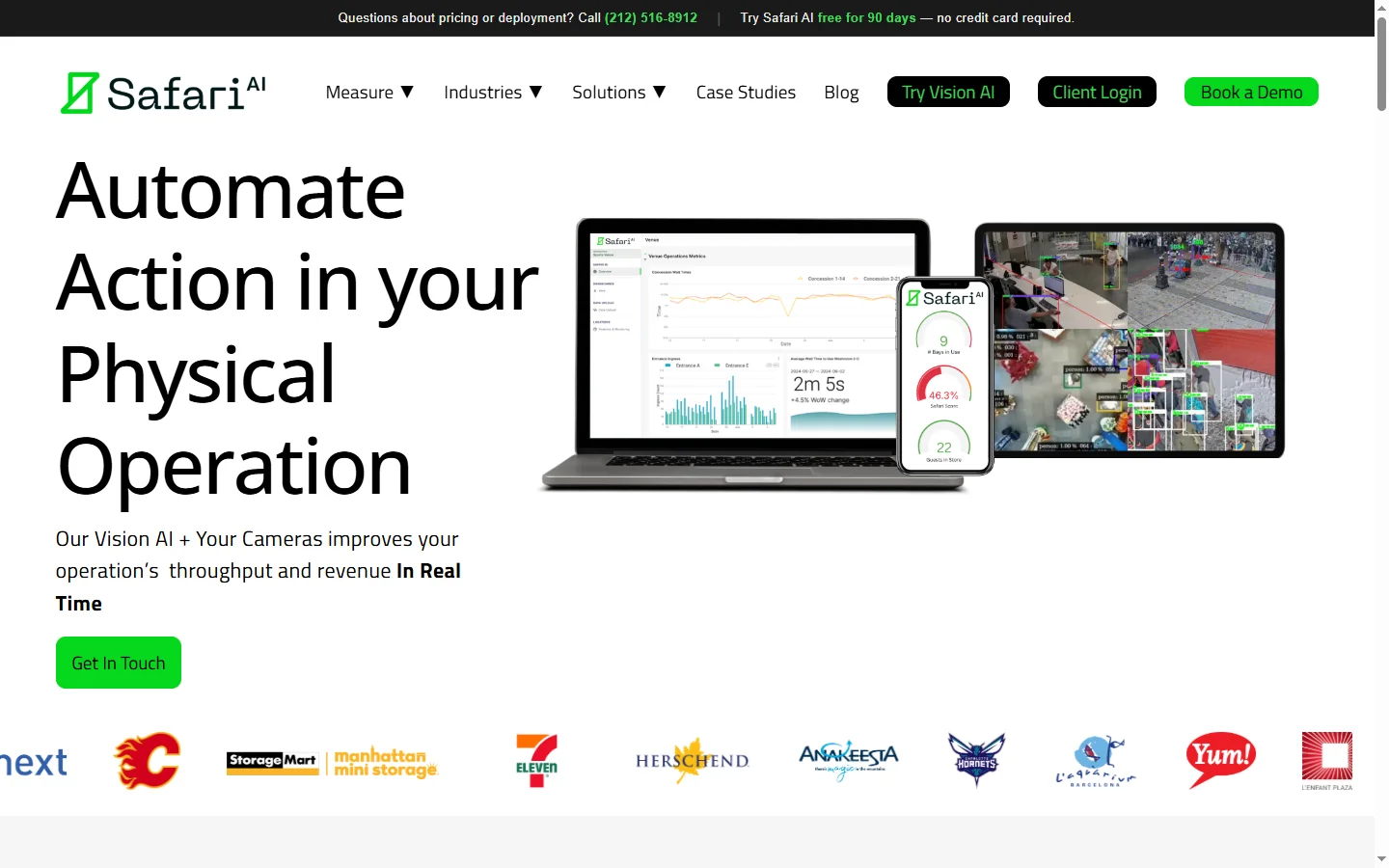
Safari AI is a video intelligence platform that turns existing CCTV and IP cameras into real-time operational sensors without requiring new hardware. The platform processes video feeds through computer vision models that detect events, count objects and people, measure dwell times, and trigger alerts based on configurable rules. Retailers, hospitality operators, manufacturers, and logistics companies use Safari AI to turn footage that was previously used only for security into a continuous stream of business intelligence.
The platform's differentiator is its plug-and-play approach. Rather than requiring edge GPUs or specialized cameras, Safari AI connects to existing RTSP streams, pulls frames to the cloud, and runs analysis centrally. This dramatically lowers the cost of deployment — customers can be up and running across hundreds of sites within weeks instead of the quarters that traditional computer vision rollouts take. Use cases range from counting customers entering a retail store to verifying that a pallet was loaded correctly at a logistics hub to measuring kitchen prep times in a restaurant.
Safari AI is used by Fortune 500 retailers, major quick-service restaurant chains, and large logistics operators to measure metrics that were previously impossible or expensive to capture. Operations leaders can finally answer questions like 'how long did customers wait in line at this location yesterday' with precision, and correlate those numbers with sales and satisfaction data. Privacy is a core focus — the platform processes anonymized event data rather than identifying individuals, and retention policies are configurable per deployment.
⚡ Key Features of Safari AI
Plug-and-Play CCTV Integration
Safari AI connects to existing IP cameras via RTSP, ONVIF, or cloud VMS integrations without requiring new hardware or on-site edge devices. This means a deployment that would traditionally require a forklift upgrade can go live across hundreds of sites in weeks. Customers keep their existing camera infrastructure and add Safari AI as a centralized analytics layer. This deployment model has been a major reason for the platform's rapid adoption.
People Counting and Dwell Time
The computer vision models count individuals entering and exiting defined zones, measure how long they linger in each area, and produce traffic heatmaps over time. Retailers use this to measure store traffic, section popularity, and conversion funnel stages. QSR chains use it to measure drive-thru and counter throughput. This data was previously either unavailable or captured by expensive dedicated sensors.
Event and Activity Detection
Safari AI detects specific events — a customer entering a changing room, a pallet arriving at a dock door, a spill on the floor, a handgun or other safety incident — and triggers alerts or workflows. Custom events can be trained by labeling a few dozen examples of the target scenario. This extensibility means the platform adapts to use cases that generic video analytics products cannot handle.
Real-Time Dashboards
Operational dashboards surface key metrics — current store traffic, drive-thru speed of service, dock utilization — in real time so managers can react to what is happening right now. Historical trend views let regional leaders compare sites, shifts, and days of the week. Alerts can be routed via email, SMS, Slack, or webhook to operational systems. This real-time visibility is transformative for multi-site operators.
Privacy-Preserving Analytics
Safari AI processes video into anonymized event data rather than identifying individuals. Faces are not matched to identities, and biometric features are not stored. Retention policies for both raw video and derived events are configurable per deployment to satisfy GDPR, CCPA, and internal privacy requirements. This posture has been essential for enterprise customers in regulated industries.
Integration with BI and Operational Systems
Event data flows to Snowflake, BigQuery, Tableau, Power BI, and major BI platforms through native connectors. Safari AI also integrates with labor scheduling, POS, and WMS systems so video-derived signals can trigger operational workflows. This positions the platform not as a standalone dashboard but as a data source that enriches the rest of the operational stack.
Multi-Site Deployment and Management
Large chains manage hundreds of sites through a single admin console with role-based access, per-site configuration, and centralized monitoring of camera health. Deployment templates let operations teams roll out new sites in a day rather than a week. This manageability has been key to Safari AI's Fortune 500 adoption.
🎯 Use Cases for Safari AI
⚖️ Safari AI Pros & Cons
Advantages
- ✓No new hardware required — works with existing cameras
- ✓Fast multi-site deployment without edge device rollouts
- ✓Custom event training for use cases beyond generic analytics
- ✓Strong privacy posture with anonymized event data
- ✓Integrates with BI, POS, WMS, and labor scheduling systems
Drawbacks
- ✗Cloud-based processing requires reliable internet at each site
- ✗Enterprise pricing and minimums rule out small operators
- ✗Camera quality and placement affect analytics accuracy
- ✗Initial calibration per site requires some manual effort
📖 How to Use Safari AI
Contact Safari AI at safariai.com to schedule a discovery call and discuss your operational video use cases.
Complete a proof-of-concept on a handful of sites to validate analytics accuracy and integration fit.
Connect your existing camera infrastructure via RTSP or cloud VMS integration — no new hardware needed.
Configure zones, events, and alerts specific to your operations using the Safari AI admin console.
Roll out across your full site footprint using deployment templates to accelerate onboarding.
Connect Safari AI event data to your BI, POS, and operational systems to drive downstream workflows.
❓ Safari AI FAQ
No. Safari AI works with most existing IP cameras via RTSP, ONVIF, or cloud VMS integrations. There is no need for edge devices, new hardware, or camera upgrades in most deployments.
Safari AI is used by retailers, quick-service restaurants, logistics operators, manufacturers, and hospitality operators to turn video into operational analytics. Use cases span people counting, event detection, queue monitoring, and safety.
Yes. Safari AI processes video into anonymized event data rather than identifying individuals. Retention policies are configurable per deployment to satisfy GDPR, CCPA, and internal privacy requirements.
Yes. Custom events can be trained by labeling a few dozen examples of the target scenario. This lets the platform adapt to industry-specific use cases beyond the built-in analytics templates.
Pricing is custom based on site count, camera count, and use cases. Safari AI is designed for enterprise and mid-market operators with multi-site footprints rather than single-location businesses.
Related to Safari AI

15.ai
15.ai is a free AI voice cloning tool famous for generating realistic speech from cartoon, video game, and animated show characters using as little as 15 seconds of source audio.

A2E AI
A2E AI productivity platform converts audio and video recordings into transcripts, summaries, and action items with speaker identification.

Abby AI
Abby AI is an AI therapy and mental wellness chatbot that offers CBT-informed conversations, mood tracking, and self-guided coping tools.

Abnormal AI
Abnormal AI uses behavioral AI to detect business email compromise, account takeover, and socially engineered phishing that bypasses secure email gateways.
Featured on WhatIf.ai
Add this badge to your website to show you're listed on WhatIf AI
Alternatives to Safari AI

A2E AI
A2E AI productivity platform converts audio and video recordings into transcripts, summaries, and action items with speaker identification.

Abnormal AI
Abnormal AI uses behavioral AI to detect business email compromise, account takeover, and socially engineered phishing that bypasses secure email gateways.


Abridge AI
Abridge AI medical documentation platform that records and summarizes clinical conversations into structured physician notes in real time.


Air AI
Air AI conducts autonomous full-length AI phone calls for sales prospecting, appointment setting, and customer service without human agents.