
Lisa AI
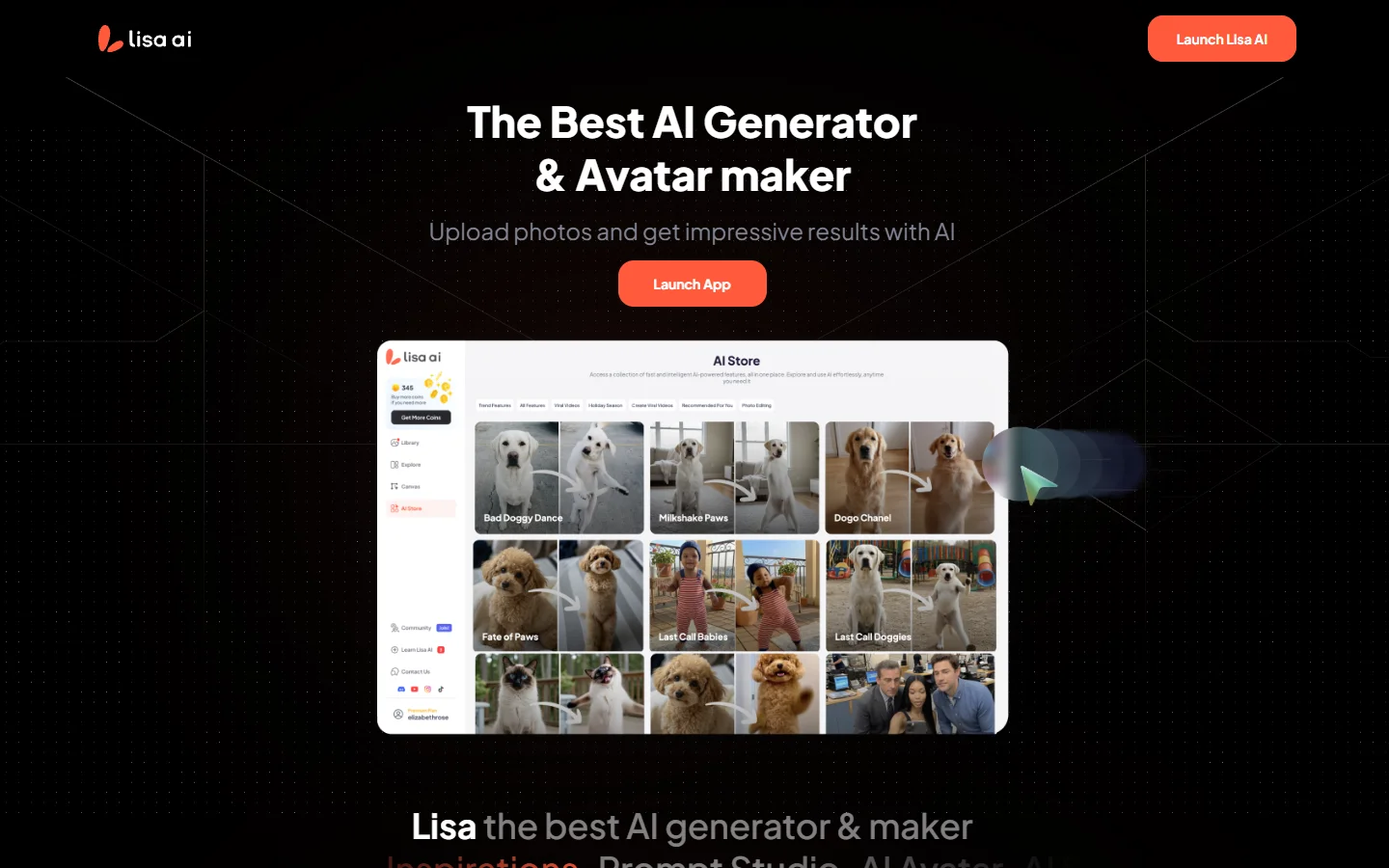
Freemium ✓ Verified 🔥 TrendingLisa AI is a mobile-first AI avatar and photo enhancement app that turns selfies into professional portraits, fantasy art, and AI headshots in minutes.
📋 About Lisa AI
Lisa AI is a consumer-focused ai avatar and photo enhancement app available on iOS and Android that lets users transform ordinary selfies into polished portraits, fantasy artwork, professional headshots, and stylized avatars across dozens of themes. The lisa ai app trains a lightweight personalized model from a handful of user photos and then generates new images in user-selected styles — from cyberpunk warrior and anime character to studio-lit LinkedIn headshot — in minutes. Its simple onboarding and pay-per-pack pricing have made it one of the more widely installed AI photo apps globally.
Beyond avatar generation, the lisa ai assistant includes a suite of mobile photo utilities built on generative models: background removal, image enhancement and upscaling, old photo restoration, object removal, photo-to-cartoon conversion, and AI selfie filters. These tools are packaged in a friendly, Instagram-style interface that hides the technical complexity of diffusion models behind tappable style presets. Users pick a photo, choose a style, wait a few minutes, and receive a batch of variations to download or share. Subscription plans unlock unlimited generations and advanced styles; pay-as-you-go packs let casual users generate without committing.
Lisa AI targets everyday smartphone users who want creative or professional-looking imagery without learning Photoshop or prompt engineering. Popular use cases include LinkedIn headshots for job seekers, anime or fantasy avatars for social media, couples and family portraits, and cleanup of old family photos. The app's appeal is accessibility: it delivers professional-looking output with a few taps at a fraction of the cost of a photographer, making generative AI a practical consumer tool rather than a specialist toolkit.
⚡ Key Features of Lisa AI
Personalized AI Avatar Generation
Upload 10 to 20 selfies and lisa ai trains a custom model of your face, which it then uses to generate new images in dozens of styles — from photorealistic professional headshots to stylized anime, fantasy, and sci-fi portraits. Generation typically completes in under 30 minutes and produces a batch of varied outputs you can download, share, or use as social media avatars. The personalization captures likeness well enough that most users recognize themselves immediately. New style packs are added regularly, so users have reasons to return for seasonal or trending aesthetics.
AI Professional Headshots
A dedicated professional headshot mode generates LinkedIn-ready portraits with studio lighting, business attire, and neutral backgrounds from the same training selfies. This has become one of lisa ai's most popular features for job seekers and professionals who want a polished headshot without booking a photographer. Output includes multiple pose, lighting, and wardrobe variations at a fraction of professional photography cost. Photorealistic quality is generally sufficient for online profiles, though premium photographers still outperform for high-stakes uses.
Photo Enhancement and Upscaling
Sharpen blurry photos, upscale low-resolution images to high-definition, and enhance old or grainy pictures with a single tap. The lisa ai enhancement model fixes common issues — soft focus, compression artifacts, poor lighting — and outputs results suitable for printing or social sharing. Users commonly apply this to old family photos, screenshots, and low-quality imports before further editing. The upscaler can take small phone pics to print resolution without obvious artifacts.
Old Photo Restoration
Restore faded, scratched, torn, or damaged old family photos using the ai photo restoration tool, which automatically removes creases, fills missing areas, and recovers color in black-and-white or sepia originals. This is one of lisa ai's most-shared use cases, with users often restoring heirloom photos to share with family. Results can be stunning for mildly damaged photos and still usable for heavily damaged ones that would require hours of manual Photoshop work. The tool handles facial features sensitively to preserve recognizability.
AI Background Removal and Replacement
Automatically cut out subjects and replace backgrounds with solid colors, scenic images, or AI-generated scenes without manual masking. The tool works on people, products, and pets with high accuracy around hair, fur, and edges. Casual users use it for profile pictures; small business sellers use it to create product photography on demand. The replacement backgrounds include a library of seasonal, studio, and fantasy options.
Photo-to-Cartoon and Anime Styles
Convert selfies or group photos into cartoon, anime, Pixar-style, and comic book illustrations with preset style packs. Output is consistent enough for social media avatars, birthday cards, or family artwork, and the app handles multi-person photos without mangling faces. Style packs update regularly to match trending aesthetics like specific anime shows or Pixar movies. This is a strong acquisition driver — cartoon photos are highly shareable and bring new users to the app.
Object and Background Removal
Remove unwanted objects, people, or watermarks from photos using AI inpainting that fills the gap intelligently with matching pixels. Users tap or brush over the object and the lisa ai assistant handles the rest, typically in under a minute. This cleans up photobombers, signs, or reflections without needing desktop tools. The inpainting quality is strong for small objects in uniform backgrounds and acceptable for larger removals against complex scenes.
🎯 Use Cases for Lisa AI
⚖️ Lisa AI Pros & Cons
Advantages
- ✓Fast and easy — designed for casual mobile users, not power users
- ✓Professional headshot feature is cheap compared to a photographer
- ✓Wide style variety from realistic to anime, fantasy, and retro
- ✓Strong old photo restoration and object removal quality
- ✓Free trial with paid packs for casual use
Drawbacks
- ✗Results vary with selfie quality — bad inputs produce weak outputs
- ✗Subscription auto-renews catch some users off guard
- ✗Not suited for high-stakes professional photography
- ✗Style libraries are preset rather than fully customizable
📖 How to Use Lisa AI
Download the lisa ai app from the iOS App Store or Google Play and create an account.
Upload 10 to 20 clear selfies with varied angles, lighting, and expressions for the best avatar training results.
Choose an avatar or headshot style pack from the library and tap Generate to start the AI process.
Wait around 20 to 40 minutes for the lisa ai model to finish training and return a batch of generated images.
Browse results, download your favorites, and share directly to social media from within the app.
Use the separate photo tools — enhance, restore, remove background — on any photo from your camera roll as needed.
❓ Lisa AI FAQ
Lisa ai is a mobile app for iOS and Android that generates AI avatars, professional headshots, and stylized portraits from your selfies, alongside photo enhancement, restoration, and background removal tools.
Lisa ai offers a free trial with limited features, pay-per-pack options starting around $5 for single generations, and subscription plans typically priced between $5 and $15 per month for unlimited access.
Most avatar and headshot jobs complete in 20 to 40 minutes after upload, depending on server load. Simple photo tools like background removal or enhancement finish in seconds.
Lisa ai states that uploaded photos are used solely to train your personal avatar model and can be deleted from your account. Users concerned about privacy should review the current privacy policy before uploading.
Yes, the professional headshot mode is designed specifically for LinkedIn and similar platforms. Results are generally high quality enough for professional use, though hiring results can vary by industry expectations.
Related to Lisa AI

15.ai
15.ai is a free AI voice cloning tool famous for generating realistic speech from cartoon, video game, and animated show characters using as little as 15 seconds of source audio.

A2E AI
A2E AI productivity platform converts audio and video recordings into transcripts, summaries, and action items with speaker identification.

Abby AI
Abby AI is an AI therapy and mental wellness chatbot that offers CBT-informed conversations, mood tracking, and self-guided coping tools.

Abnormal AI
Abnormal AI uses behavioral AI to detect business email compromise, account takeover, and socially engineered phishing that bypasses secure email gateways.
Featured on WhatIf.ai
Add this badge to your website to show you're listed on WhatIf AI
Alternatives to Lisa AI

A2E AI
A2E AI productivity platform converts audio and video recordings into transcripts, summaries, and action items with speaker identification.

Abnormal AI
Abnormal AI uses behavioral AI to detect business email compromise, account takeover, and socially engineered phishing that bypasses secure email gateways.


Abridge AI
Abridge AI medical documentation platform that records and summarizes clinical conversations into structured physician notes in real time.


Air AI
Air AI conducts autonomous full-length AI phone calls for sales prospecting, appointment setting, and customer service without human agents.