
Encharge AI
Paid ✓ VerifiedEncharge AI is a marketing automation platform that uses AI to build, personalize, and optimize behavior-based email campaigns for SaaS.
📋 About Encharge AI
Encharge AI is a marketing automation platform built for SaaS and subscription businesses that combines visual flow automation with AI assistance for copywriting, segmentation, and optimization. The encharge ai platform triggers messaging based on product usage events, allowing teams to personalize onboarding, trial-to-paid conversion, retention, and reactivation flows in ways that generic email tools cannot. AI features accelerate the common operations of writing, iterating, and tuning these campaigns without dedicated marketing specialists.
At the core of the platform is a flow builder where marketers chain triggers, conditions, and actions into end-to-end customer journeys. Encharge AI layers AI on top — helping draft emails in brand voice, generating subject line variants, suggesting segments based on behavioral patterns, and analyzing campaign performance to propose improvements. Deep integrations with Stripe, HubSpot, Salesforce, Segment, Mixpanel, and popular CRMs let teams sync customer data bi-directionally and trigger flows on meaningful events. The platform is designed to be approachable for founders and product marketers while still powerful enough for experienced lifecycle specialists.
Encharge AI serves startups, SaaS growth teams, and small B2B companies that want sophisticated lifecycle marketing without a dedicated CRM administrator. Customers typically replace or complement tools like Mailchimp, Intercom's outbound, and Customer.io with a more SaaS-native product. The AI layer reduces the effort of going from empty workspace to a functioning set of automations, which is often the largest barrier to adopting lifecycle marketing in the first place.
⚡ Key Features of Encharge AI
Visual Flow Builder
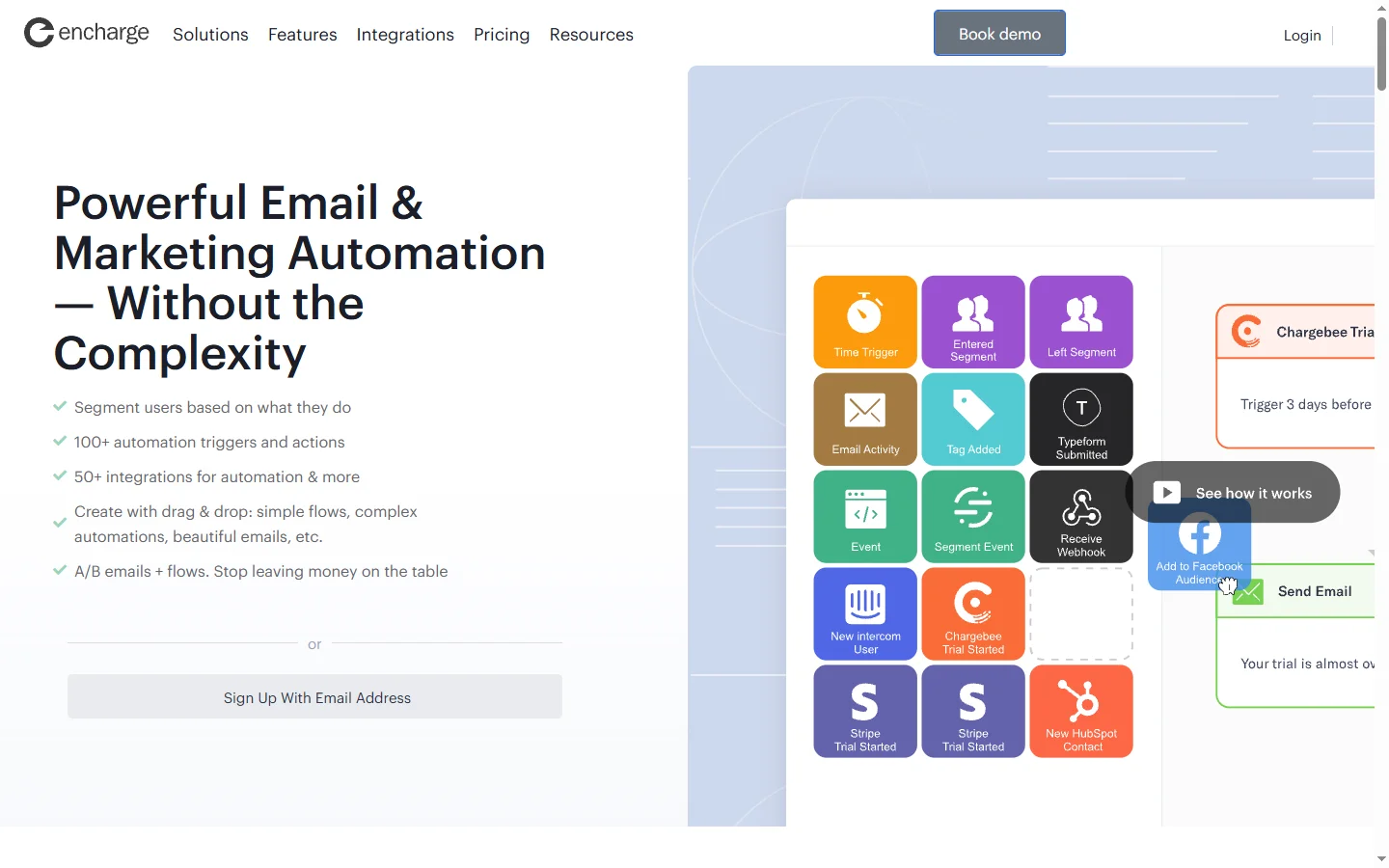
Encharge AI provides a drag-and-drop canvas for building customer journeys, where triggers, conditions, delays, and actions connect visually. The encharge ai flow builder supports branching logic, A/B splits, and multi-channel steps that include email, SMS, and webhooks. Marketers can duplicate, pause, and version flows without touching code. This visual model makes lifecycle automation much easier to reason about and debug than comparable tools.
AI Email Copywriting
The platform includes AI assistants that draft emails, subject lines, and CTAs tailored to the campaign's goal, audience, and brand voice. Encharge AI references previous campaign performance when suggesting copy, so recommendations reflect what has worked rather than generic best practices. Marketers can request tonal variants — friendly, technical, urgent — and iterate in natural language rather than rewriting from scratch. This turns a blank-page problem into a starting-point problem, which most teams solve much faster.
Behavior-Based Triggers
Encharge AI triggers flows on product events such as signup, feature usage, invite sent, payment failed, or churn risk detected. Integrations with Segment, Mixpanel, and RudderStack let the platform receive granular event data, while Stripe and payment provider integrations surface billing-specific triggers. The encharge ai engine evaluates trigger conditions in real time to deliver contextually relevant messages. This is the foundation of serious SaaS lifecycle marketing.
AI Segmentation
The AI segmentation assistant suggests high-value audience slices based on usage patterns, billing data, and lifecycle stage, then builds the corresponding filter automatically. Marketers can refine segments in natural language — "paying customers who have not used the report feature in two weeks" — without memorizing a filter syntax. Encharge AI also surfaces segments that are likely to churn or expand based on predictive signals. This lowers the barrier to running targeted campaigns rather than blasting everyone the same message.
CRM and Data Sync
Deep integrations with HubSpot, Salesforce, Pipedrive, and other CRMs let encharge ai sync customer data bi-directionally, ensuring sales and marketing see a consistent view. Webhook and API support extend the platform to bespoke systems and data warehouses. This avoids the data silos that often sit between product analytics, CRM, and email tools. Operations teams appreciate that flows can both consume and update CRM fields as part of automations.
Campaign Performance Analytics
Encharge AI reports open rates, click rates, conversions, and revenue impact per flow, with breakdowns by variant, segment, and time period. The AI analysis highlights which steps underperform and proposes specific changes such as subject line rewrites or delay adjustments. Marketers can run controlled experiments from within the flow builder and measure lift in context. This closes the loop between sending and improving, which is where most lifecycle programs stall.
Template Library and Playbooks
The platform ships with a library of SaaS-specific playbooks covering onboarding, free-trial conversion, dunning, win-back, and expansion flows. Each playbook is editable and serves as a head start rather than a rigid framework. The encharge ai library is updated regularly with patterns drawn from successful customer campaigns. Newer users can launch a working automation in hours rather than weeks by starting from a playbook.
🎯 Use Cases for Encharge AI
⚖️ Encharge AI Pros & Cons
Advantages
- ✓Built specifically for SaaS lifecycle marketing
- ✓Visual flow builder with branching and A/B tests
- ✓AI assists with copy, segmentation, and analysis
- ✓Strong integrations with product and billing tools
- ✓Playbooks accelerate initial setup
Drawbacks
- ✗Pricing scales quickly with contact count
- ✗Not ideal for e-commerce or purely transactional sends
- ✗Some advanced features require higher plans
- ✗Learning curve for non-marketers
📖 How to Use Encharge AI
Sign up at encharge.io and connect your product analytics, CRM, and billing systems.
Choose a playbook or start a new flow in the visual builder.
Define the trigger event, such as signup or payment failed, and add steps for emails and conditions.
Use the AI assistant to draft email copy, subject lines, and CTAs for each step.
Activate the flow and monitor performance in the encharge ai analytics dashboard.
Iterate based on AI-suggested improvements and A/B test variants to boost results.
❓ Encharge AI FAQ
Encharge AI offers paid plans based on contact count. A free trial is typically available, but the platform does not maintain a permanent free tier comparable to some consumer email tools.
Encharge AI focuses on SaaS lifecycle automation with deep product event support and CRM integrations, whereas Mailchimp is broader consumer email marketing and Intercom is messenger-first support. Encharge AI sits in the gap for SaaS companies that want advanced flows without the overhead of enterprise tools.
Encharge AI integrates with HubSpot, Salesforce, Stripe, Segment, Mixpanel, RudderStack, Pipedrive, and many others, plus webhooks and APIs for custom systems.
Yes. Flows can include email, SMS, and webhook steps, letting teams coordinate multi-channel lifecycle messaging and trigger external systems as part of automations.
The AI assistants can draft full emails, subject lines, and CTAs based on your campaign goal and brand voice, but marketers typically edit output to match their tone before sending.
Related to Encharge AI

A2E AI
A2E AI productivity platform converts audio and video recordings into transcripts, summaries, and action items with speaker identification.

Abnormal AI
Abnormal AI uses behavioral AI to detect business email compromise, account takeover, and socially engineered phishing that bypasses secure email gateways.

Abridge AI
Abridge AI medical documentation platform that records and summarizes clinical conversations into structured physician notes in real time.

Accrete AI
Accrete AI builds autonomous enterprise AI agents for defense, government, and commercial intelligence workflows.

Blaze AI
Blaze AI generates on-brand social media posts, blog articles, email campaigns, and ad copy for marketers and small businesses using configurable brand voice settings.

Fin AI
Fin AI is Intercom's AI customer service agent that autonomously resolves support tickets across chat, email, and help centers.
Featured on WhatIf.ai
Add this badge to your website to show you're listed on WhatIf AI
Alternatives to Encharge AI

A2E AI
A2E AI productivity platform converts audio and video recordings into transcripts, summaries, and action items with speaker identification.

Abnormal AI
Abnormal AI uses behavioral AI to detect business email compromise, account takeover, and socially engineered phishing that bypasses secure email gateways.

Abridge AI
Abridge AI medical documentation platform that records and summarizes clinical conversations into structured physician notes in real time.


Air AI
Air AI conducts autonomous full-length AI phone calls for sales prospecting, appointment setting, and customer service without human agents.