Winxvideo AI
Paid ✓ VerifiedWinxvideo AI is a desktop app that enhances, upscales, stabilizes, and converts videos and images using AI models optimized for consumer hardware.

📋 About Winxvideo AI
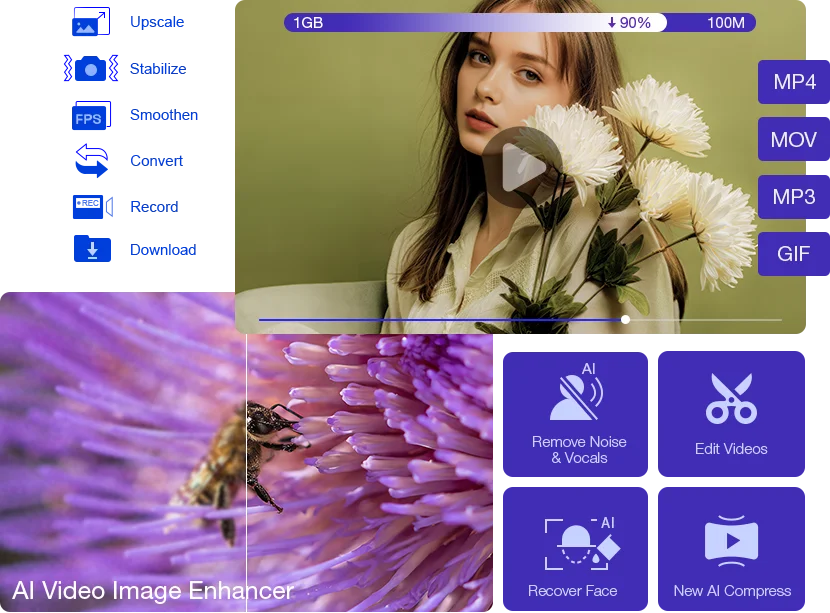
Winxvideo AI is a Windows and Mac desktop application from Digiarty that combines AI video enhancement, image upscaling, screen recording, and format conversion in a single consumer-friendly package. The app uses specialized neural networks to upscale footage to 4K, restore old family videos, denoise low-light clips, stabilize shaky handheld shots, and interpolate frame rates for smoother playback. It is positioned as an affordable alternative to Topaz and similar pro tools for hobbyists and small creators.
The platform bundles multiple workflows into one interface: AI enhancement, transcoding between dozens of formats, DVD backup, screen recording, and basic editing. Users can apply AI models in batch to entire folders, which makes it practical for restoring wedding videos, digitizing home movie collections, or cleaning up YouTube source footage. GPU acceleration on NVIDIA, AMD, and Intel hardware keeps processing times manageable on consumer laptops and desktops.
Winxvideo AI is used by home users, small content creators, and IT professionals who need a reliable one-stop video tool without a subscription. Digiarty offers perpetual licenses alongside subscriptions, which is increasingly rare in a subscription-dominant market.
⚡ Key Features of Winxvideo AI
AI Video Upscaling to 4K
Winxvideo AI upscales standard definition and HD footage to 4K using deep learning super-resolution models tuned for natural detail recovery. Users can transform VHS-era footage and low-res web clips into sharper, larger versions. GPU acceleration keeps processing times reasonable.
AI Denoise, Stabilize, and Enhance
Dedicated models reduce noise in low-light clips, stabilize shaky handheld footage, and restore detail lost to aggressive compression. These can be layered together in a single pass. Perfect for cleaning up travel videos, security camera footage, or family archives.
AI Frame Interpolation
The app synthesizes intermediate frames to convert 24/30fps footage into smoother 60/120fps video, or to produce slow-motion from regular-speed clips. This gives consumer footage a more professional feel. Athletes and creators use it for smooth sports recaps.
AI Image Upscaling
Beyond video, Winxvideo AI upscales photos up to 10x with detail preservation models. This is useful for printing small JPEGs, restoring scanned photos, or enlarging e-commerce product shots. Batch processing speeds up large jobs.
Video Conversion and Compression
A mature converter supports hundreds of formats and codecs with GPU-accelerated encoding, so users can prepare files for specific devices or platforms without separate tools. Compression presets optimize for file size versus quality. Subtitles and audio tracks are preserved.
Screen Recording and Basic Editing
A built-in screen recorder captures desktop and webcam, and a basic editor handles trimming, cropping, and merging. Together these cover the everyday needs of small creators. Outputs can be piped directly into AI enhancement before export.
🎯 Use Cases for Winxvideo AI
⚖️ Winxvideo AI Pros & Cons
Advantages
- ✓All-in-one video toolkit at a reasonable price
- ✓Effective AI upscaling and enhancement on consumer GPUs
- ✓Perpetual license option available
- ✓Handles hundreds of video and image formats
- ✓Works fully offline for privacy
Drawbacks
- ✗Quality trails best-in-class Topaz for premium work
- ✗Windows-first with Mac feature parity catching up
- ✗Some AI modes are slow without a capable GPU
- ✗Interface feels dated compared with cloud tools
📖 How to Use Winxvideo AI
Download Winxvideo AI from winxdvd.com and install it on Windows or Mac.
Import the video or image you want to enhance or convert.
Pick an AI workflow: upscale, denoise, stabilize, or frame interpolation.
Adjust output resolution, codec, and format presets.
Start the processing job and let the GPU do the work.
Export the result and review before sharing or archiving.
❓ Winxvideo AI FAQ
Yes. All AI processing happens on your local machine, which is useful for privacy and avoids cloud upload times.
Yes. Both Windows and Mac versions exist, though the Windows build typically gets new features first.
Digiarty offers both perpetual licenses and subscription options. Check the current pricing page for tier details and promotions.
A modern CPU works for conversion and basic tasks. AI workflows run much faster on a dedicated GPU from NVIDIA, AMD, or Intel.
Yes. Winxvideo AI specifically offers AI-powered upscaling to 4K for videos and high-resolution image enlargements.
Related to Winxvideo AI

A2E AI
A2E AI productivity platform converts audio and video recordings into transcripts, summaries, and action items with speaker identification.

Abnormal AI
Abnormal AI uses behavioral AI to detect business email compromise, account takeover, and socially engineered phishing that bypasses secure email gateways.

Abridge AI
Abridge AI medical documentation platform that records and summarizes clinical conversations into structured physician notes in real time.

Accrete AI
Accrete AI builds autonomous enterprise AI agents for defense, government, and commercial intelligence workflows.

Akuma AI
Akuma AI is an AI music generation platform that creates original songs, instrumentals, and soundtracks from text prompts for creators and indie artists.

ArtSpace AI
ArtSpace AI is an AI art generator and marketplace that turns text prompts into shareable, printable artwork for hobbyists and designers.
Featured on WhatIf.ai
Add this badge to your website to show you're listed on WhatIf AI
Alternatives to Winxvideo AI

A2E AI
A2E AI productivity platform converts audio and video recordings into transcripts, summaries, and action items with speaker identification.

Abnormal AI
Abnormal AI uses behavioral AI to detect business email compromise, account takeover, and socially engineered phishing that bypasses secure email gateways.

Abridge AI
Abridge AI medical documentation platform that records and summarizes clinical conversations into structured physician notes in real time.


Air AI
Air AI conducts autonomous full-length AI phone calls for sales prospecting, appointment setting, and customer service without human agents.