
Trevor AI
Freemium ✓ VerifiedTrevor AI is an AI-powered daily planner that automatically time-blocks tasks from your calendar and to-do list for structured, focused days.
📋 About Trevor AI
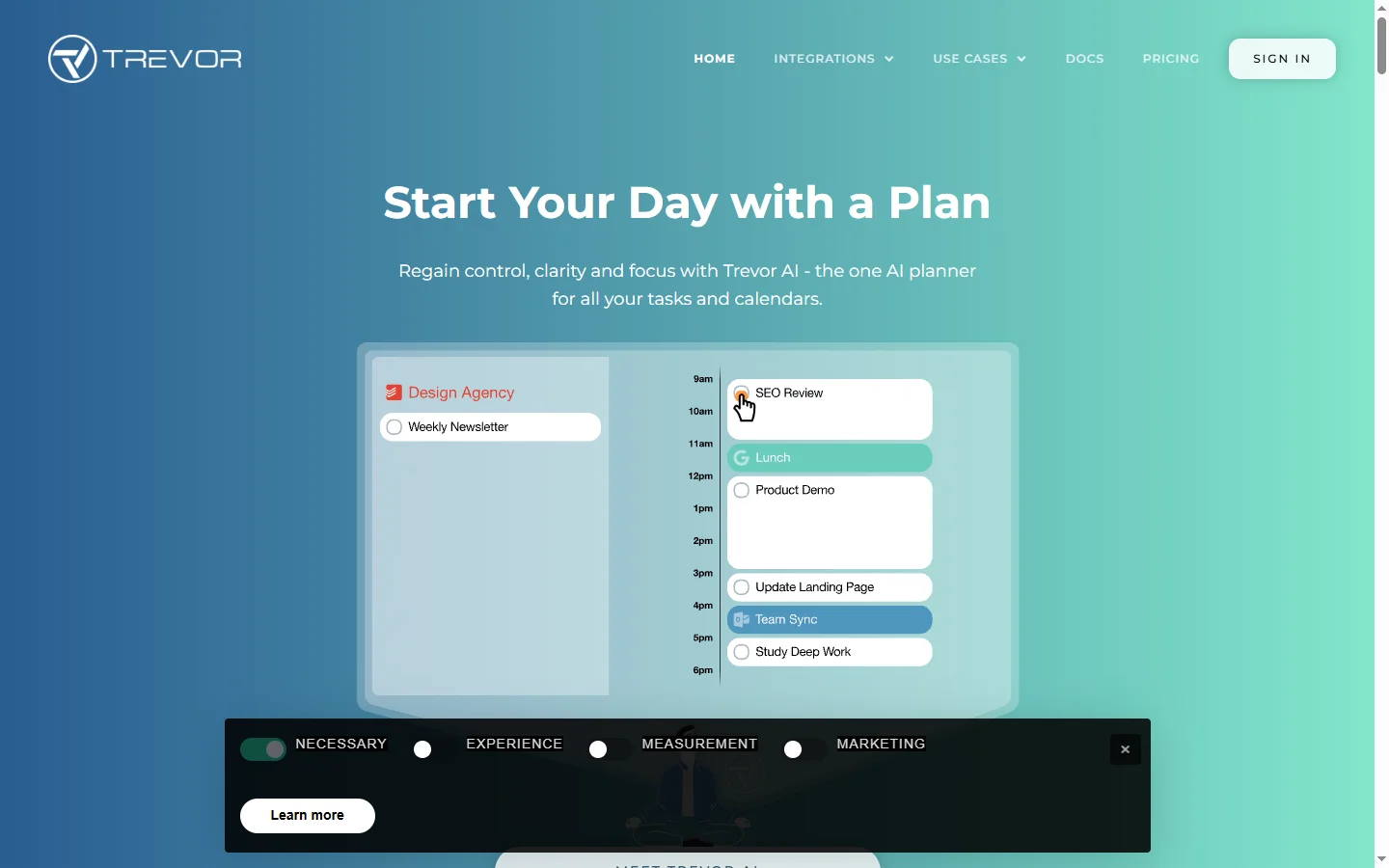
Trevor AI is an AI-powered daily planner that helps users build structured, productive days through intelligent time-blocking. The trevor ai app syncs with Google Calendar, Outlook, and popular to-do list apps like Todoist, then uses AI to suggest optimal times for each task based on your calendar availability, task priority, estimated duration, and focus patterns. The result is a visually clear day plan where every task has a dedicated block of time, eliminating the vague 'I'll fit it in somewhere' approach that leaves many to-dos untouched.
The platform's core innovation is turning unstructured to-do lists into concrete calendar events with minimal user effort. Drag-and-drop scheduling, smart defaults for recurring work, and real-time adjustments when meetings move make the planner feel responsive rather than rigid. As an ai daily planner, Trevor adapts to your actual habits over time — noticing when you tend to do deep work, when meetings cluster, and when breaks occur — and tunes future suggestions accordingly. The web and mobile apps sync in real time so plans stay current whether you're at your desk or on the move.
Trevor AI serves knowledge workers, entrepreneurs, students, and anyone who struggles to translate long to-do lists into completed work. Power users often cite meaningful productivity gains by simply having every task committed to a time slot rather than floating in a list. The tool's integrations with Todoist, Google Calendar, Microsoft Outlook, and other ecosystem apps let it fit into existing workflows without requiring a platform switch. Free and premium tiers accommodate individual users up through small teams.
⚡ Key Features of Trevor AI
AI-Powered Time Blocking
Drag unscheduled tasks from your list onto the calendar and the trevor ai engine suggests optimal placement based on your meetings, priorities, and focus patterns. This turns abstract to-dos into committed time slots, which dramatically improves completion rates. Suggestions adapt as your calendar changes throughout the day. Users often describe this as the feature that finally made time-blocking sustainable for them.
Two-Way Calendar Sync
Real-time bidirectional sync with Google Calendar and Microsoft Outlook ensures tasks scheduled in Trevor appear on your main calendar, and meetings added elsewhere immediately update your plan. Task durations, reminders, and colors transfer consistently. This eliminates the double-booking and duplication common when using separate planning and calendar tools. Multiple calendars can be connected at once.
To-Do App Integrations
Connects with Todoist, Microsoft To Do, and other popular task managers to pull tasks directly into the planner. You don't need to re-enter tasks or switch between apps to plan your day. The ai daily planner respects priority levels, tags, and due dates set in your source app. Completed tasks sync back to keep everything consistent.
Focus Pattern Learning
Trevor observes when you actually complete different kinds of tasks — deep work sessions, shallow admin tasks, meetings — and tunes future suggestions accordingly. Over time, the app becomes a personalized assistant rather than a generic planner. This is especially valuable for people with non-standard schedules. Users can override suggestions at any time.
Daily Review and Analytics
End-of-day review shows what was completed, what slipped, and where your time actually went versus where you planned it. Weekly analytics highlight patterns that are easy to miss in the moment, like meeting-heavy afternoons or recurring task procrastination. This turns planning into an iterative improvement practice. Users can make data-driven adjustments to their routines.
Mobile and Web Apps
Fully synced web, iOS, and Android apps let you plan from the desktop and execute from anywhere. Quick-add and voice input on mobile capture tasks during meetings or while walking. The trevor ai planner updates in real time across devices. Offline support means you can review today's plan even without connectivity.
🎯 Use Cases for Trevor AI
⚖️ Trevor AI Pros & Cons
Advantages
- ✓Turns to-dos into concrete time blocks automatically
- ✓Two-way sync with Google Calendar, Outlook, and Todoist
- ✓Adaptive learning tunes suggestions over time
- ✓Clean, distraction-free UI on web and mobile
- ✓Free tier available for individual use
Drawbacks
- ✗Requires discipline to update when the day goes off-plan
- ✗Advanced features gated to premium plans
- ✗Limited team collaboration features
- ✗Integrations fewer than some enterprise task managers
📖 How to Use Trevor AI
Sign up for Trevor AI at trevorai.com with email or Google login.
Connect Google Calendar or Microsoft Outlook so Trevor can see your meetings.
Connect your to-do app (Todoist, Microsoft To Do) or add tasks directly in Trevor's task list.
Drag tasks from the list onto your day view, or let the trevor ai engine auto-schedule based on priority and availability.
Adjust blocks as meetings move or priorities shift — changes sync to your calendar instantly.
Review completed versus planned tasks at the end of the day and refine tomorrow's plan based on analytics.
❓ Trevor AI FAQ
Yes. Trevor AI offers a free tier with core planning features. Premium plans unlock advanced analytics, additional integrations, and priority support for regular users.
Yes. The trevor ai planner has a dedicated two-way Todoist integration so tasks flow between the two apps in real time without duplicate entry.
Yes. Trevor's AI suggests time slots for tasks based on calendar availability, priority, and your observed work patterns. Users can accept suggestions or drag tasks manually.
The mobile apps support viewing the current day's plan offline. Adding and syncing new tasks requires an internet connection, which restores automatically when online.
Trevor is primarily designed for individual planning. Limited sharing features exist, but it is not a substitute for dedicated team project management tools.
Related to Trevor AI

A2E AI
A2E AI productivity platform converts audio and video recordings into transcripts, summaries, and action items with speaker identification.

Abby AI
Abby AI is an AI therapy and mental wellness chatbot that offers CBT-informed conversations, mood tracking, and self-guided coping tools.

Abnormal AI
Abnormal AI uses behavioral AI to detect business email compromise, account takeover, and socially engineered phishing that bypasses secure email gateways.

Abridge AI
Abridge AI medical documentation platform that records and summarizes clinical conversations into structured physician notes in real time.

Accrete AI
Accrete AI builds autonomous enterprise AI agents for defense, government, and commercial intelligence workflows.

Claude
Claude AI assistant by Anthropic with a 200K context window, strong reasoning, and safety-focused design for writing, coding, and analysis.
Featured on WhatIf.ai
Add this badge to your website to show you're listed on WhatIf AI
Alternatives to Trevor AI

A2E AI
A2E AI productivity platform converts audio and video recordings into transcripts, summaries, and action items with speaker identification.

Abnormal AI
Abnormal AI uses behavioral AI to detect business email compromise, account takeover, and socially engineered phishing that bypasses secure email gateways.

Abridge AI
Abridge AI medical documentation platform that records and summarizes clinical conversations into structured physician notes in real time.


Air AI
Air AI conducts autonomous full-length AI phone calls for sales prospecting, appointment setting, and customer service without human agents.