
Sudowrite AI
Paid ✓ Verified 🔥 TrendingSudowrite AI is an AI writing assistant built specifically for fiction authors, offering brainstorming, rewriting, and expansion tools for storytelling.
📋 About Sudowrite AI
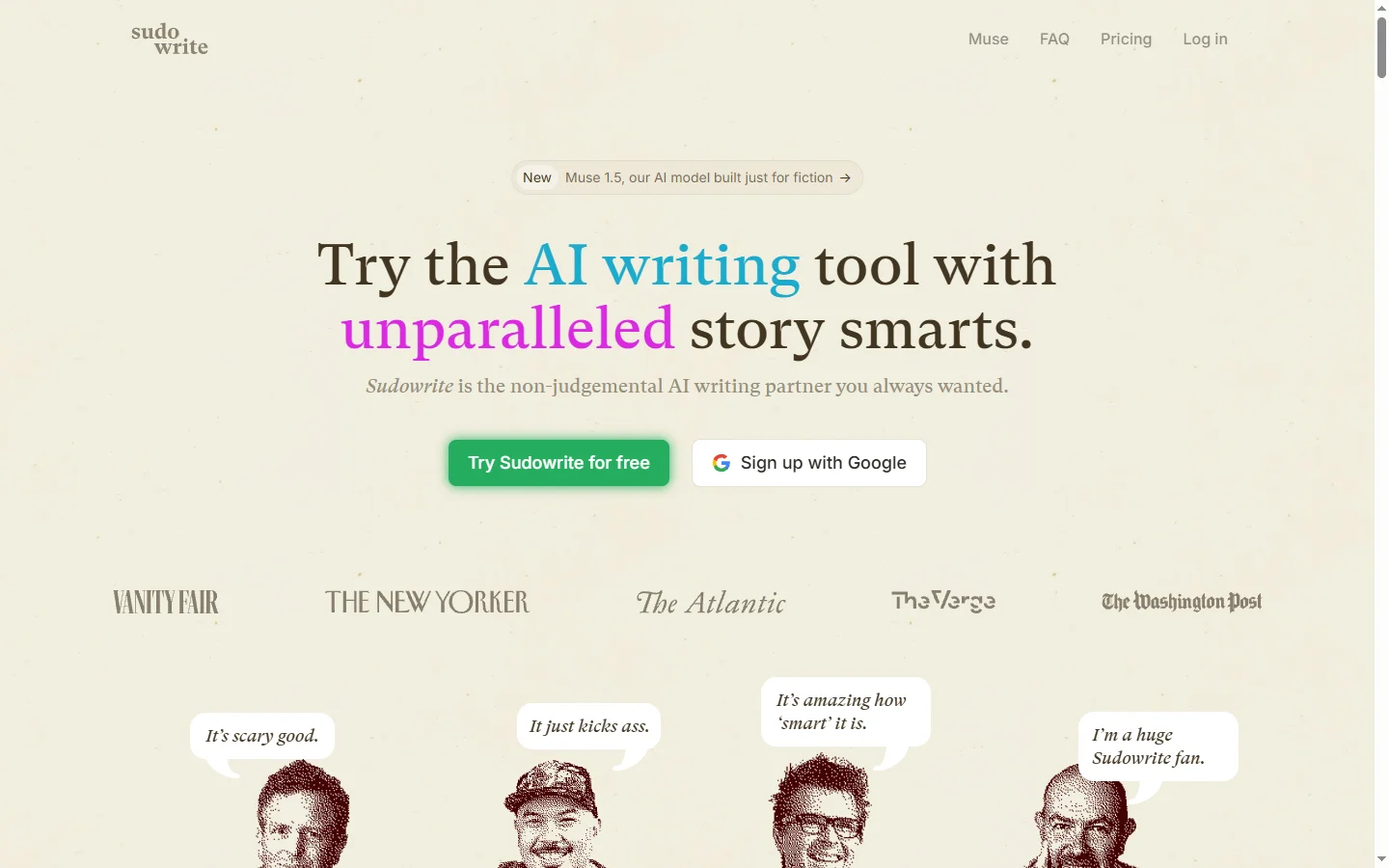
Sudowrite AI is an AI writing assistant designed specifically for novelists, short-story writers, and screenwriters rather than general-purpose content. The sudowrite ai platform provides a suite of tools tuned for creative fiction: brainstorming characters and plot twists, generating descriptive passages, rewriting sentences in different styles, expanding thin drafts into full scenes, and getting feedback on tone or pacing. Unlike general chatbots, Sudowrite's prompts and models are tuned toward literary craft — show-don't-tell, sensory detail, character voice, and narrative structure.
The interface is built around a distraction-free document editor with contextual AI tools in a side panel. Writers highlight passages to rewrite, expand, or critique; brainstorm plot points with the Canvas feature; or explore 'what if' scenarios with the Describe and Story Engine tools. The ai writing assistant for fiction supports long-form projects with chapter structure, character sheets, and world-building notes so context stays consistent across a novel-length manuscript. It integrates with Scrivener and exports to common formats for publishing workflows.
Sudowrite AI serves indie authors, traditionally published novelists, NaNoWriMo participants, and screenwriters who want AI help that respects the craft of storytelling. Power users describe it as a tireless writing partner that helps break through blocks, explore alternatives, and polish drafts while keeping their voice intact. Subscription plans scale with monthly word generation caps, and a free trial lets writers evaluate whether the tool fits their workflow before committing. The community includes active discussions on craft and AI-assisted writing ethics.
⚡ Key Features of Sudowrite AI
Fiction-Tuned Writing Assistant
All tools are tuned for storytelling craft — sensory detail, character voice, show-don't-tell, and narrative structure — rather than generic business writing. This produces output that fits inside a novel draft without heavy editing. The sudowrite ai models are trained and prompted specifically for creative fiction. Writers consistently report higher-quality first drafts versus using general AI tools.
Rewrite and Expand Tools
Highlight any passage and ask Sudowrite to rewrite it in a different style, shorter, longer, with more sensory detail, or in a specific tone. The Expand tool takes a thin sentence and fleshes it into a full paragraph or scene. These are the most-used features for writers polishing drafts. Multiple alternative versions generate per request so you can pick the best fit.
Brainstorm and Canvas
Brainstorm generates ideas for plot twists, character backstories, settings, and dialogue beats from a short prompt. The Canvas feature provides a visual corkboard for organizing plot points, character arcs, and world-building notes alongside the AI tools. This replaces scattered notes in docs and notebooks. Writers use it for both initial outlining and mid-draft course corrections.
Describe and Show-Don't-Tell
Describe turns a bare sentence into richly sensory prose with sight, sound, smell, and emotional texture. The Show-Don't-Tell tool rewrites telling statements into action and dialogue that demonstrate character emotion. These craft-specific tools are rare among ai writing assistants. They help writers level up their prose without forcing a particular style.
Story Engine
Story Engine drafts entire scenes and chapters from a beat-level outline you provide, letting you focus on structure and character while Sudowrite handles initial prose. This is especially useful for overcoming blank-page paralysis. The generated material becomes raw clay that writers shape into their final voice. Parameters control length, perspective, and style.
Scrivener and Long-Form Support
Integrates with Scrivener and supports long-form projects with chapter structure, character sheets, and world-building notes that persist across a novel-length manuscript. The sudowrite ai platform keeps context consistent so AI suggestions respect established names, places, and rules. Export options cover common publishing workflows. Large manuscripts are handled without losing context.
🎯 Use Cases for Sudowrite AI
⚖️ Sudowrite AI Pros & Cons
Advantages
- ✓Tools tuned specifically for fiction craft
- ✓Long-form project support with persistent context
- ✓Integrates with Scrivener and exports widely
- ✓Strong brainstorming and idea-generation tools
- ✓Active community of novelists and writing coaches
Drawbacks
- ✗Paid-only with no permanent free tier
- ✗Monthly word generation limits on all plans
- ✗Less suitable for non-fiction or business writing
- ✗Some genre types work better than others
📖 How to Use Sudowrite AI
Sign up at sudowrite.com and start a free trial to evaluate the fiction-specific tools.
Create a new project or import an existing manuscript from Word, Scrivener, or text file.
Write or paste a draft, then highlight passages to use Rewrite, Expand, Describe, or Show-Don't-Tell.
Use Brainstorm and Canvas for plot planning and character development.
Try Story Engine for scene-level drafting when you have an outline ready.
Export your finished sudowrite ai manuscript to your preferred format for final editing and publishing.
❓ Sudowrite AI FAQ
Sudowrite offers a free trial. Paid subscriptions start around $19 per month for entry-level plans, with higher tiers providing more monthly word generation for active writers.
Sudowrite's tools are tuned specifically for fiction craft — sensory detail, character voice, narrative structure — with a UI designed around a document editor rather than a chat window. This produces more usable drafts with less prompting.
Yes. Sudowrite states that user writing is not used to train public models, and customer content remains confidential. Review their current privacy policy for detailed terms.
Sudowrite is designed as a writing assistant, not a one-click novel generator. Writers provide direction, outlines, and voice while Sudowrite accelerates drafting, brainstorming, and polishing.
Yes. The sudowrite ai platform integrates with Scrivener so writers can move drafts between tools and maintain chapter structures in their preferred writing environment.
Related to Sudowrite AI

A2E AI
A2E AI productivity platform converts audio and video recordings into transcripts, summaries, and action items with speaker identification.

Abby AI
Abby AI is an AI therapy and mental wellness chatbot that offers CBT-informed conversations, mood tracking, and self-guided coping tools.

Abnormal AI
Abnormal AI uses behavioral AI to detect business email compromise, account takeover, and socially engineered phishing that bypasses secure email gateways.

Abridge AI
Abridge AI medical documentation platform that records and summarizes clinical conversations into structured physician notes in real time.

Accrete AI
Accrete AI builds autonomous enterprise AI agents for defense, government, and commercial intelligence workflows.

Claude
Claude AI assistant by Anthropic with a 200K context window, strong reasoning, and safety-focused design for writing, coding, and analysis.
Featured on WhatIf.ai
Add this badge to your website to show you're listed on WhatIf AI
Alternatives to Sudowrite AI

A2E AI
A2E AI productivity platform converts audio and video recordings into transcripts, summaries, and action items with speaker identification.

Abnormal AI
Abnormal AI uses behavioral AI to detect business email compromise, account takeover, and socially engineered phishing that bypasses secure email gateways.

Abridge AI
Abridge AI medical documentation platform that records and summarizes clinical conversations into structured physician notes in real time.


Air AI
Air AI conducts autonomous full-length AI phone calls for sales prospecting, appointment setting, and customer service without human agents.