
Shortcut AI
Paid ✓ Verified 🔥 TrendingShortcut AI is an AI Excel and spreadsheet assistant that builds financial models, analyzes data, and writes formulas from natural-language prompts.
📋 About Shortcut AI
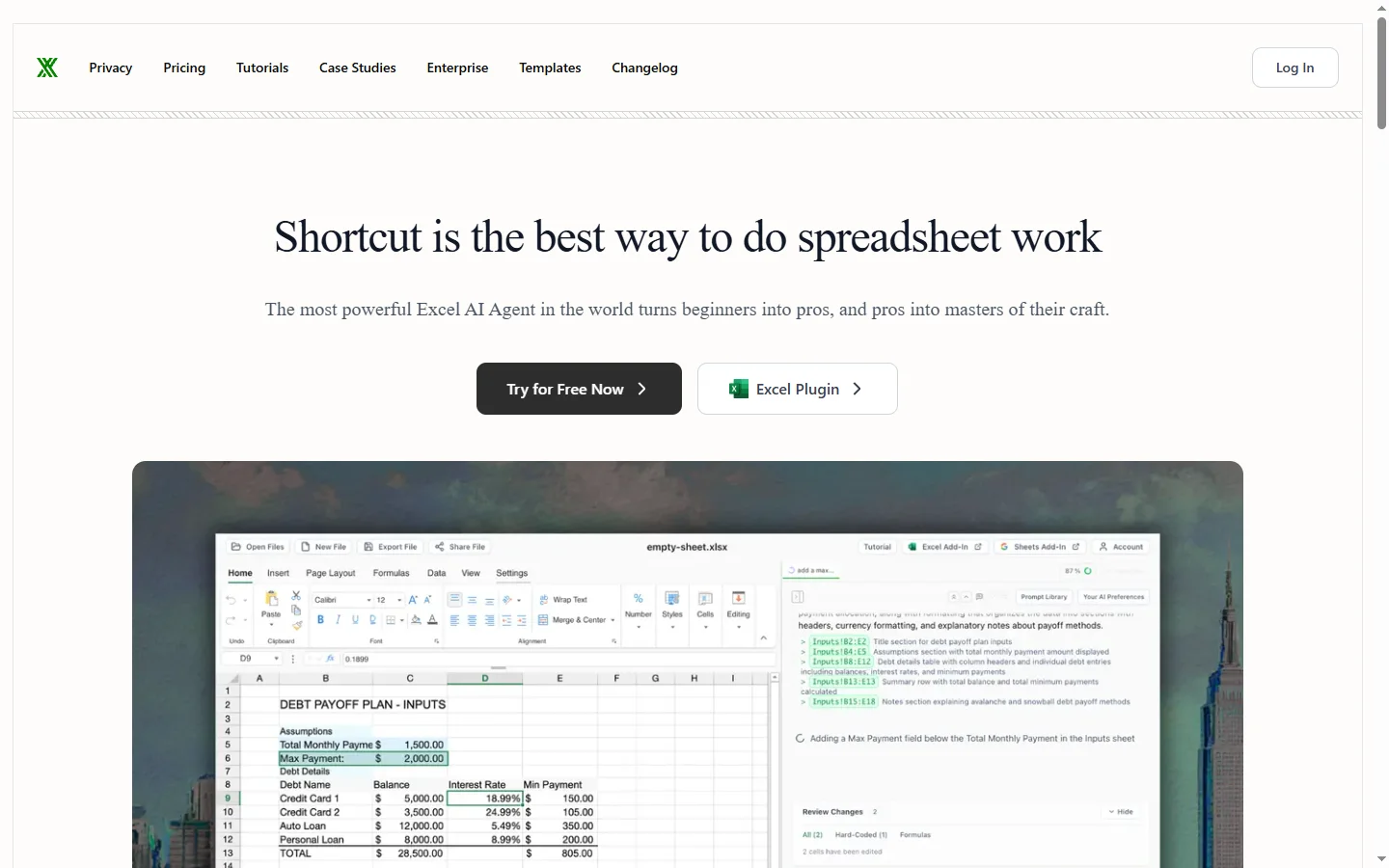
Shortcut AI is an ai excel assistant that accelerates financial modeling, data analysis, and spreadsheet work by turning natural-language instructions into fully built Excel workbooks — complete with structured tabs, formulas, formatting, and summary outputs. Rather than bolting onto a cell as a formula helper, shortcut ai operates at the workbook level, able to generate a three-statement financial model, DCF valuation, cohort analysis, or operational dashboard from a brief description of what the user needs. The tool is positioned specifically at finance, consulting, and operations professionals whose daily work involves structured Excel deliverables.
The platform was built around benchmarks that measure how well AI systems perform on realistic finance case interviews and modeling tasks, with the team emphasizing that general-purpose chatbots fall short on the specific conventions of financial modeling — proper formula referencing, accurate assumption layouts, conventional color coding, and auditable structure. Shortcut's models are tuned for these conventions so output resembles what a trained analyst would produce rather than a raw formula dump. Users can chat with the AI to iterate on model structure, challenge assumptions, and request sensitivities without rebuilding from scratch.
Shortcut AI targets investment banking analysts, private equity associates, equity research, FP&A teams, and consultants who produce modeling and analytical deliverables under tight deadlines. The platform offers individual and team plans with workbook generation quotas, and enterprise deployments include audit features and access controls. Outputs are native Excel files that users can edit, audit, and deliver to clients or stakeholders, which is important in industries where tool-specific file formats are not acceptable.
⚡ Key Features of Shortcut AI
Workbook-Level Excel Generation
shortcut ai generates complete multi-tab Excel workbooks from a description of what the user needs — three-statement models, DCF valuations, LBO models, cohort analyses, or operational dashboards. Each workbook includes assumption tabs, schedules, summary outputs, and formatting conventions typical of analyst-grade deliverables. This is fundamentally different from formula-level AI helpers that only fill single cells. The finished file is a native Excel workbook the user can download, edit, and share.
Finance-Tuned AI Models
The underlying models are tuned on financial modeling conventions — proper formula referencing, color coding for hardcoded versus linked values, auditable structure, and standard layouts for assumptions and sensitivities. This matters because general-purpose chatbots frequently produce Excel output that violates these conventions and takes longer to clean up than to rebuild from scratch. Finance professionals using the tool find the output closer to what a trained analyst would produce. The team publishes benchmarks comparing performance to generic models on realistic case-interview tasks.
Chat-Based Model Iteration
Rather than regenerating from zero for each change, users chat with the AI to iterate — add a new revenue segment, change the tax rate schedule, build a sensitivity table, or swap a growth assumption. Shortcut AI understands references to existing cells and sheets so changes propagate correctly without breaking links. This conversational workflow matches how analysts actually iterate on live deals. It also reduces the risk of model breakage from wholesale replacement.
Data Analysis from Uploaded Files
Users upload CSVs, existing Excel files, or PDFs and ask the AI to clean, pivot, analyze, or visualize the data. Shortcut AI can identify the structure of messy source data, suggest transformations, and produce summary tables and charts. This is useful for consultants and analysts who spend significant time preparing external data for modeling. Output goes directly into the same workbook so analysis and model sit together.
Formula Writer and Auditor
Beyond full-workbook generation, the tool can be used at the cell level to write complex formulas — INDEX/MATCH, array formulas, conditional aggregations — from a plain-English description of what the user wants. In reverse, users can paste a formula and ask the AI to explain or audit it, which is valuable for reviewing work inherited from colleagues. This bridges the gap between full-model generation and targeted formula help.
Team and Enterprise Controls
Team plans include shared workbook libraries, standardized templates, and usage reporting across seats. Enterprise deployments add audit logs, single sign-on, data residency controls, and data retention policies suitable for banks and other regulated users. These controls matter because financial modeling often involves sensitive client data that cannot be processed on consumer tools. The enterprise tier is what makes the platform deployable in compliance-heavy environments.
🎯 Use Cases for Shortcut AI
⚖️ Shortcut AI Pros & Cons
Advantages
- ✓Generates complete workbook deliverables, not just single-cell formulas
- ✓Finance-tuned models respect modeling conventions analysts expect
- ✓Chat-based iteration keeps existing models intact during changes
- ✓Data analysis and modeling live in the same native Excel output
- ✓Enterprise plan supports audit logs, SSO, and compliance controls
Drawbacks
- ✗Paid-only — no meaningful free tier for workbook generation
- ✗Specialized for finance use cases, so less useful for general Excel work
- ✗Output still requires analyst review and client-specific formatting before delivery
📖 How to Use Shortcut AI
Visit shortcut.ai and sign up for an individual or team plan to access the workbook generator.
Describe the deliverable you need — for example a three-statement model for a SaaS company with specific revenue segments and margin assumptions.
Review the generated Excel workbook structure including assumption tabs, schedules, and summary outputs.
Iterate via chat by asking the AI to add sensitivities, change assumptions, or extend the model with new segments.
Upload source data files when needed so the AI can clean, pivot, and analyze them inside the same workbook.
Download the native Excel file, run your own audit, and deliver it through your firm's standard review process.
❓ Shortcut AI FAQ
shortcut ai targets finance professionals — investment banking analysts, private equity associates, equity research, FP&A teams, and consultants — whose daily work involves structured Excel modeling and analytical deliverables.
Yes. Output is a native Excel workbook with proper tabs, formulas, and formatting — not a proprietary format. This matters in finance where tool-specific file formats are typically not acceptable for client delivery.
General chatbots often produce Excel output that violates finance modeling conventions and takes longer to clean up than to rebuild. Shortcut's models are tuned specifically on financial modeling conventions so output more closely matches analyst-grade deliverables.
Enterprise plans include audit logs, SSO, data residency options, and data retention controls suitable for banks and regulated firms. Individual and team tiers follow standard cloud security practices — sensitive deal data should generally use the enterprise tier.
Shortcut AI is generally a paid product with team and enterprise tiers. Contact sales or check the pricing page for any current trial offers or limited evaluation access.
Related to Shortcut AI

A2E AI
A2E AI productivity platform converts audio and video recordings into transcripts, summaries, and action items with speaker identification.

Abnormal AI
Abnormal AI uses behavioral AI to detect business email compromise, account takeover, and socially engineered phishing that bypasses secure email gateways.

Abridge AI
Abridge AI medical documentation platform that records and summarizes clinical conversations into structured physician notes in real time.

Accrete AI
Accrete AI builds autonomous enterprise AI agents for defense, government, and commercial intelligence workflows.

ChatGPT
ChatGPT AI assistant by OpenAI for writing, coding, research, image analysis, and everyday problem-solving.

Claude
Claude AI assistant by Anthropic with a 200K context window, strong reasoning, and safety-focused design for writing, coding, and analysis.
Featured on WhatIf.ai
Add this badge to your website to show you're listed on WhatIf AI
Alternatives to Shortcut AI

A2E AI
A2E AI productivity platform converts audio and video recordings into transcripts, summaries, and action items with speaker identification.

Abnormal AI
Abnormal AI uses behavioral AI to detect business email compromise, account takeover, and socially engineered phishing that bypasses secure email gateways.

Abridge AI
Abridge AI medical documentation platform that records and summarizes clinical conversations into structured physician notes in real time.


Air AI
Air AI conducts autonomous full-length AI phone calls for sales prospecting, appointment setting, and customer service without human agents.