
Pickaxe AI
Freemium ✓ VerifiedPickaxe AI is a no-code platform for building and monetizing custom AI apps, chatbots, and tools that creators can embed on their own websites.
📋 About Pickaxe AI
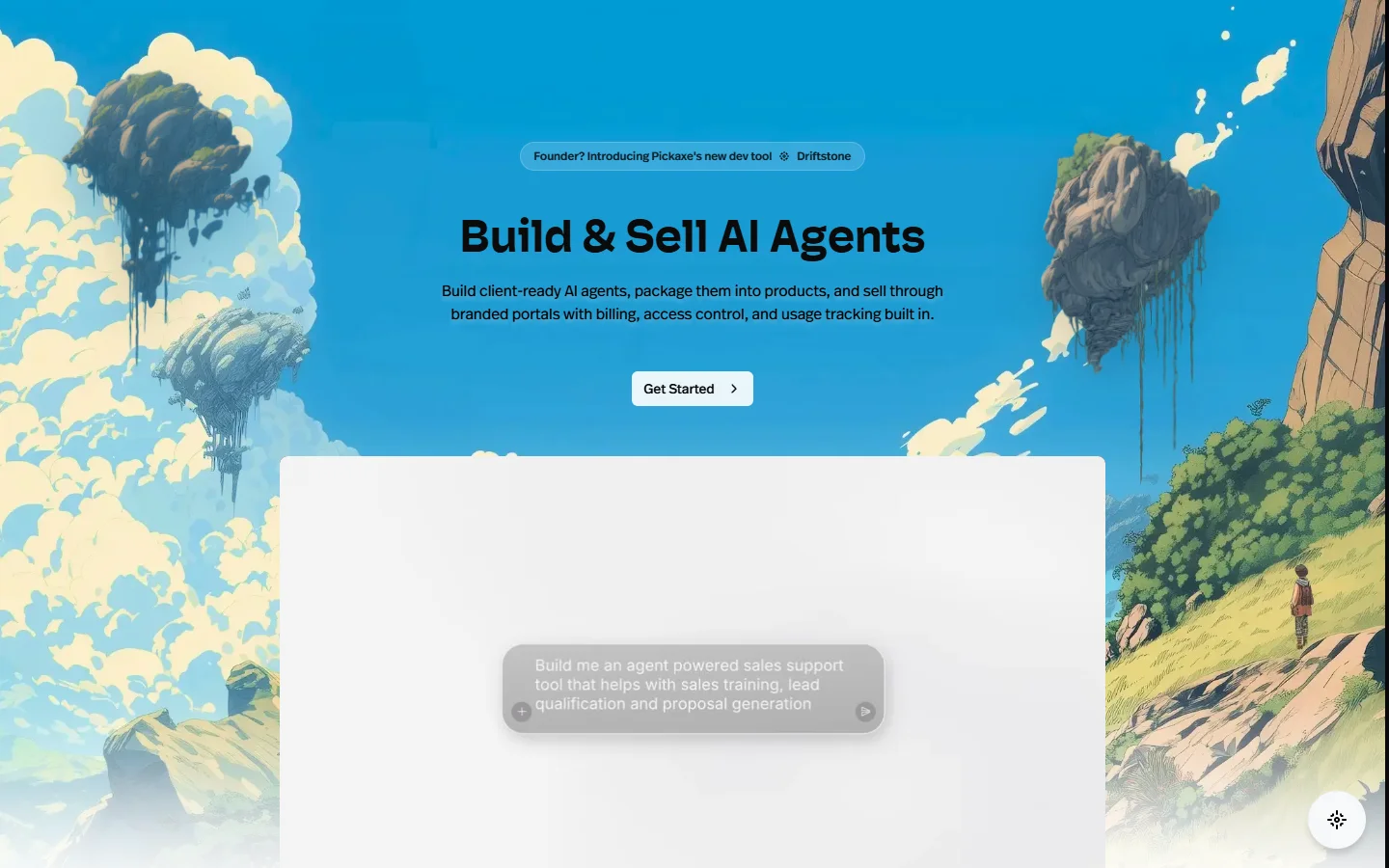
Pickaxe AI is a no-code platform that lets creators, educators, and consultants build custom AI apps — called Pickaxes — and deploy them on their own websites, landing pages, and membership sites. A Pickaxe is essentially a purpose-built GPT: the builder defines a system prompt, input fields, output format, knowledge base, and branding, and Pickaxe AI turns it into a hosted tool accessible through a shareable link or embeddable iframe. Creators can charge users on a one-time or subscription basis directly through the platform.
Unlike general LLM wrapper tools, Pickaxe AI emphasizes monetization, audience ownership, and branding. Creators can require sign-in, gate usage behind paywalls, connect their own Stripe accounts, issue API keys to paying customers, and keep analytics on who uses their Pickaxes and how often. The platform also supports workflow Pickaxes that chain multiple LLM calls together, accept file uploads, search custom knowledge bases, and produce structured outputs like formatted reports.
Pickaxe AI is particularly popular with course creators, newsletter operators, coaches, and niche-topic consultants who want to offer AI tools to their audiences as lead magnets, upsells, or standalone products. It competes with platforms like Poe, OpenAI's GPT Store, and general no-code AI builders, differentiating through creator-focused monetization, white-label branding, and the ability to keep everything under the creator's own domain.
⚡ Key Features of Pickaxe AI
No-Code AI App Builder
Pickaxe AI lets users design input fields, system prompts, and output formats through a visual builder rather than writing code. Any resulting Pickaxe can be tested, shared, and embedded in minutes. The builder supports branching logic, variable substitution, and conditional prompts for more sophisticated tools.
Monetization and Paywalls
Creators can charge users for access to their Pickaxes through one-time purchases, subscriptions, or credit-based plans, with payments processed via the creator's own Stripe account. This makes it practical to treat a Pickaxe as a standalone product rather than a free lead magnet.
Custom Branding and Embedding
Pickaxes can be embedded as iframes on any website, styled to match the host brand, and launched from a custom subdomain. Higher-tier plans remove Pickaxe branding entirely, making tools feel like native features of the creator's property rather than third-party widgets.
Knowledge Base Integration
Upload PDFs, text files, spreadsheets, or scrape web pages to give a Pickaxe its own knowledge base. The underlying LLM will draw on this information when answering user queries, enabling use cases like a personal consultant trained on the creator's book, course, or methodology.
Workflow Chains
Advanced Pickaxes can chain multiple LLM calls, image generation steps, or file processing stages into a single end-to-end workflow. This lets creators build sophisticated multi-step tools — for example, a business plan generator that drafts, critiques, and rewrites itself — without coding pipelines manually.
Analytics and User Management
Creators see analytics on total usage, per-Pickaxe engagement, unique users, and revenue. User management tools support authentication, access control, and revocation for paying customers. These capabilities help creators treat their Pickaxes as products with KPIs rather than novelties.
🎯 Use Cases for Pickaxe AI
⚖️ Pickaxe AI Pros & Cons
Advantages
- ✓Creator-focused monetization options
- ✓True white-label embeds under your own domain
- ✓Knowledge bases personalize tools with your content
- ✓Workflow chains enable multi-step products
- ✓Analytics show real usage and revenue
Drawbacks
- ✗More expensive than single-call OpenAI usage at scale
- ✗Advanced features require higher-tier plans
- ✗Usage-based LLM costs still passed to creators
📖 How to Use Pickaxe AI
Sign up at pickaxe.co and create your first Pickaxe from a template or scratch.
Configure input fields, system prompts, and output formatting in the visual builder.
Upload any knowledge files that should inform the Pickaxe's answers.
Test the Pickaxe thoroughly and iterate on prompts until behavior is consistent.
Embed the Pickaxe on your website, set pricing, and connect your Stripe account.
Track usage and revenue from the analytics dashboard and iterate based on engagement.
❓ Pickaxe AI FAQ
Pickaxe AI offers a free tier with basic functionality. Paid plans unlock features like white-label branding, advanced knowledge bases, workflow chains, and higher usage limits.
Yes. Paid plans let creators charge users through one-time purchases, subscriptions, or credits, with payments processed via Stripe.
No. Pickaxe AI is a no-code platform. Creators configure Pickaxes through a visual builder without writing any code.
Pickaxe AI supports multiple underlying models including GPT-4, Claude, and other popular LLMs, with options varying by plan tier.
Related to Pickaxe AI

A2E AI
A2E AI productivity platform converts audio and video recordings into transcripts, summaries, and action items with speaker identification.

Abnormal AI
Abnormal AI uses behavioral AI to detect business email compromise, account takeover, and socially engineered phishing that bypasses secure email gateways.

Abridge AI
Abridge AI medical documentation platform that records and summarizes clinical conversations into structured physician notes in real time.

Accrete AI
Accrete AI builds autonomous enterprise AI agents for defense, government, and commercial intelligence workflows.
Featured on WhatIf.ai
Add this badge to your website to show you're listed on WhatIf AI
Alternatives to Pickaxe AI

A2E AI
A2E AI productivity platform converts audio and video recordings into transcripts, summaries, and action items with speaker identification.

Abnormal AI
Abnormal AI uses behavioral AI to detect business email compromise, account takeover, and socially engineered phishing that bypasses secure email gateways.

Abridge AI
Abridge AI medical documentation platform that records and summarizes clinical conversations into structured physician notes in real time.

Air AI
Air AI conducts autonomous full-length AI phone calls for sales prospecting, appointment setting, and customer service without human agents.