
Photofeeler
Freemium ✓ VerifiedPhotofeeler is an AI-powered photo rating service that scores profile photos for dating, business, and social media on trust, competence, and attractiveness.
📋 About Photofeeler
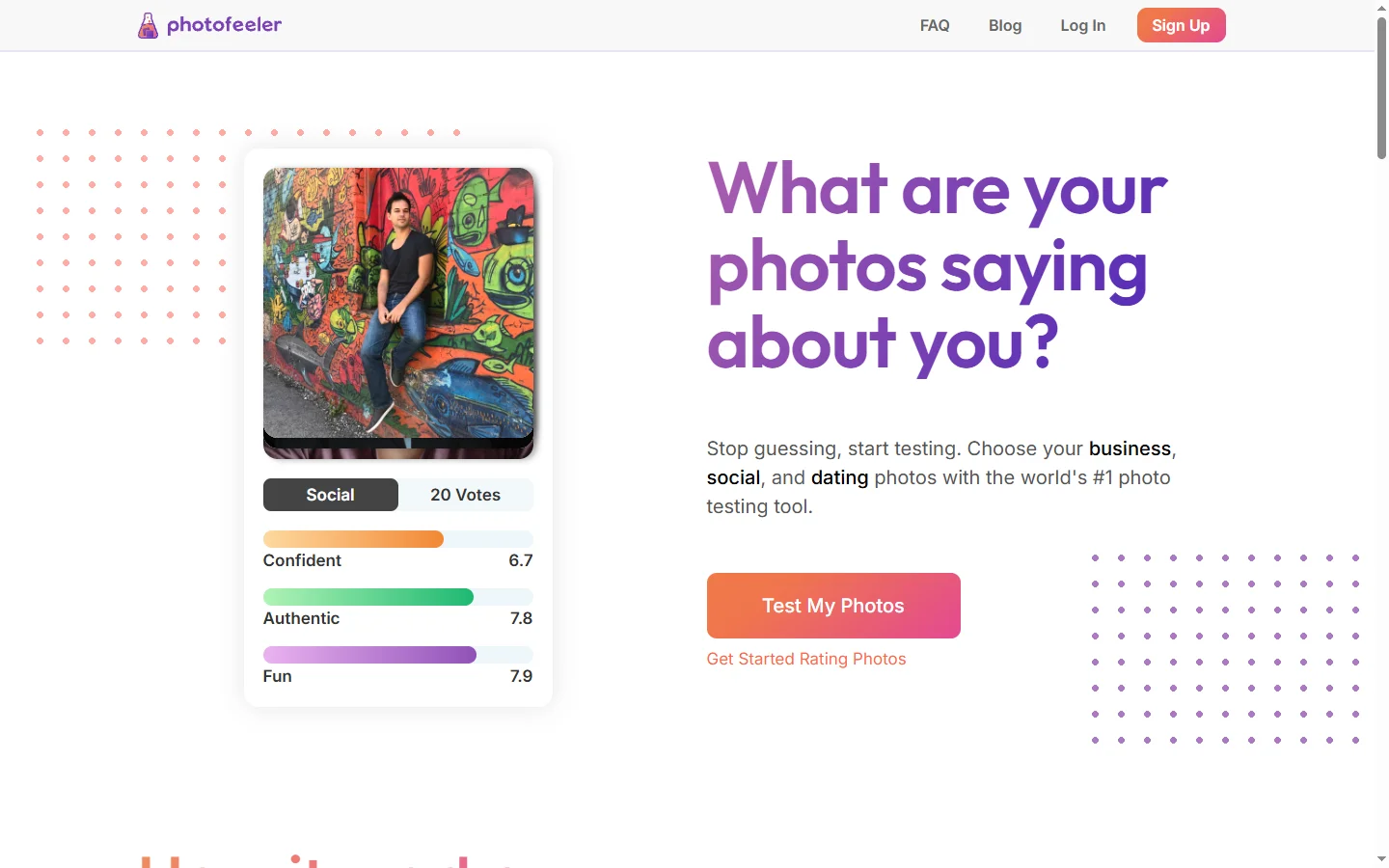
Photofeeler is a photo rating service that combines crowd-sourced votes with AI scoring to tell users exactly how their profile photos come across to others on dating apps, LinkedIn, and social media. Instead of guessing whether a Tinder photo or LinkedIn headshot is doing its job, users upload candidates and Photofeeler returns scores across three dimensions — Smart, Trustworthy, and Attractive for dating; Competent, Likable, and Influential for business — along with demographic breakdowns. The platform has been used by millions of people and is widely cited in dating-app strategy guides as one of the most data-driven ways to pick the right profile picture.
Voting is reciprocal: users vote on other photos to earn credits, which they spend to get their own photos rated. This gives Photofeeler a constant supply of real human ratings that are anonymous, demographically tagged, and reasonably representative. Paid subscriptions skip the voting requirement and provide deeper analytics, including per-vote text comments, gender and age splits, and recommendations on which photo to use as the primary. The AI layer learns from millions of historical votes to predict scores for new photos quickly, even before enough human votes have accumulated.
Photofeeler is most popular with online daters trying to optimize their Tinder, Hinge, or Bumble profiles, but it's also widely used by professionals choosing LinkedIn headshots, founders picking press photos, and content creators selecting platform avatars. The product is straightforward — upload, get scored, swap in the best — but the underlying data turns what is normally a guessing game into a measurable decision. For people who have ever wondered whether their selfie is actually the best one they have, Photofeeler offers an answer rooted in real audience feedback rather than personal opinion.
⚡ Key Features of Photofeeler
Multi-Dimensional Photo Scoring
Photofeeler scores each uploaded photo across three context-specific dimensions: Smart, Trustworthy, and Attractive for dating photos; Competent, Likable, and Influential for business photos; and a social variant for general social media. Scores are out of 10 and benchmarked against the rest of the platform, so users immediately see whether a photo is above or below average. This is far more useful than a single overall rating because users learn what to fix on each axis.
Reciprocal Voting and AI Prediction
Users earn rating credits by voting on other people's photos, ensuring Photofeeler always has a fresh pool of real human votes. The platform layers an AI prediction model on top, trained on millions of historical votes, so users can get an initial AI-estimated score quickly before human votes accumulate. This combination delivers both speed and the credibility of real audience feedback.
Demographic Vote Breakdowns
Each photo's score can be broken down by voter age and gender, which is critical for understanding fit with a target audience. A photo that scores highly with men in their 20s might score poorly with women in their 30s, and Photofeeler surfaces those differences clearly. Daters use this to optimize for their specific match preferences, and professionals use it to validate photos for diverse business audiences.
Open-Ended Text Comments
Paid subscribers receive per-vote written comments from raters explaining what they liked or didn't like about each photo — eye contact, smile authenticity, background distractions, outfit fit, and more. This qualitative feedback often reveals issues that numeric scores hide and is one of the highest-value features for users serious about improving their photos.
A/B Photo Comparisons
Upload multiple candidate photos and Photofeeler ranks them so users can pick the strongest one for their profile's main slot. This is far more useful than rating photos one at a time, because dating-app primary photos are essentially a head-to-head competition for attention. The comparison view makes the right choice obvious.
Context-Specific Modes
Photofeeler offers separate Dating, Business, and Social modes so photos are evaluated against the criteria that matter for that context. A great LinkedIn headshot is different from a great Tinder primary photo, and Photofeeler's scoring rubric reflects that. Switching modes also changes which raters see the photo, ensuring relevant feedback.
Anonymous, Privacy-Conscious Ratings
Raters and subjects are anonymous to each other — voters can't identify or contact the people in the photos, and uploaders never see who voted on them. The platform enforces this strictly, which makes it usable for sensitive contexts like dating photos that users wouldn't want broadcast to social networks. Uploaded photos can be deleted at any time.
🎯 Use Cases for Photofeeler
⚖️ Photofeeler Pros & Cons
Advantages
- ✓Real human votes plus AI scoring deliver credible results
- ✓Multi-dimensional scoring (not just one overall number)
- ✓Demographic breakdowns reveal audience-specific differences
- ✓Written comments on paid plans surface qualitative issues
- ✓Free credits available through reciprocal voting
Drawbacks
- ✗Earning credits by voting takes time without paying
- ✗Smaller voter pool for niche photo styles or older demographics
- ✗Anonymity prevents follow-up questions to specific raters
- ✗Scores are relative to the platform, not the user's target dating pool exactly
📖 How to Use Photofeeler
Sign up at photofeeler.com using email and pick a mode — Dating, Business, or Social — depending on the photo's purpose.
Upload one or more candidate photos and choose how many votes you want each photo to receive.
Earn credits by voting on other users' photos, or buy credits/subscription for faster results and deeper analytics.
Wait until votes accumulate (usually within a few hours) and review the scores plus AI predictions.
Drill into demographic breakdowns and written comments (paid) to understand why a photo performs the way it does.
Rotate in the highest-scoring photos to your dating profile, LinkedIn, or social platform and track results.
❓ Photofeeler FAQ
Photofeeler is freemium. Users can earn credits by voting on other people's photos and use those credits to rate their own photos at no cost. Paid subscriptions skip the voting requirement and unlock written comments, deeper analytics, and faster turnaround.
Both. Photofeeler primarily uses real human votes from its anonymous voter community, with an AI prediction model layered on top that estimates scores quickly before human votes accumulate. The combination provides both credibility and speed.
Photos are only visible to anonymous raters within the platform for the duration of the voting period. Raters cannot identify or contact the subject, and uploaders can delete photos at any time. Photofeeler does not publish photos to the public internet.
Many users report meaningful improvements in match rates after replacing low-scoring photos with higher-scoring ones, and several independent guides cite Photofeeler scores as among the most predictive signals for dating-app profile performance. Results vary by individual.
Yes, Photofeeler has a dedicated Business mode that scores photos on Competent, Likable, and Influential dimensions — the qualities that matter for professional contexts like LinkedIn headshots, speaker bios, and corporate About pages.
Related to Photofeeler

Aragon AI
Aragon AI professional headshot generator that creates studio-quality portrait photos from uploaded selfies using a personalized AI model.

Secta AI
Secta AI turns casual selfies into studio-grade professional headshots using AI-generated photography for LinkedIn, resumes, and personal branding.
Featured on WhatIf.ai
Add this badge to your website to show you're listed on WhatIf AI
Alternatives to Photofeeler


A2E AI
A2E AI productivity platform converts audio and video recordings into transcripts, summaries, and action items with speaker identification.


Abnormal AI
Abnormal AI uses behavioral AI to detect business email compromise, account takeover, and socially engineered phishing that bypasses secure email gateways.


Abridge AI
Abridge AI medical documentation platform that records and summarizes clinical conversations into structured physician notes in real time.


Air AI
Air AI conducts autonomous full-length AI phone calls for sales prospecting, appointment setting, and customer service without human agents.