
NoteGPT
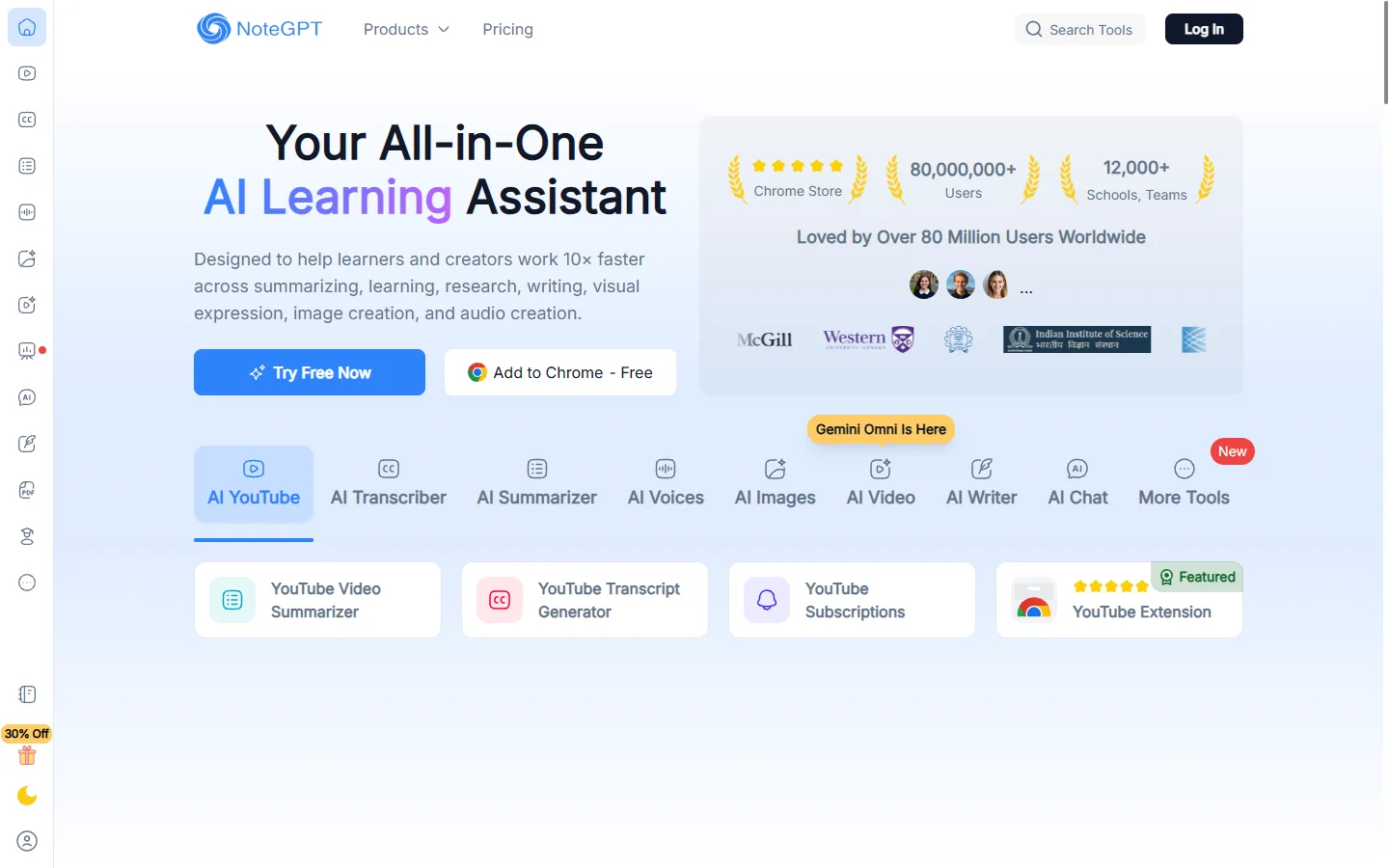
Freemium ✓ Verified 🔥 TrendingNoteGPT is an AI note-taking assistant that summarizes YouTube videos, PDFs, audio, and lectures into structured notes, flashcards, and mind maps.
📋 About NoteGPT
NoteGPT is an AI note-taking platform that turns long-form content into concise, structured notes for students, researchers, and lifelong learners. Its most popular feature is the YouTube summarizer, which generates timestamped summaries, key takeaways, and full transcripts from any video URL in seconds. Beyond YouTube, NoteGPT can summarize PDFs, audio recordings, web articles, images of handwritten notes, and live class recordings, making it a one-stop study companion for material across formats.
Underneath the surface, NoteGPT combines speech-to-text transcription, large language model summarization, and a flexible notes editor where users can refine the AI output. The platform also generates flashcards, mind maps, and quizzes from any source content, which is especially useful for exam preparation and active recall study techniques. A Chrome extension brings the same features into the browser, allowing users to summarize whatever they are reading or watching without copying URLs around. All saved notes sync to a personal library organized by folder and tag.
NoteGPT serves a global student audience as well as professionals who consume large amounts of video content — sales reps reviewing call recordings, podcasters reviewing interviews, and educators preparing course materials. Pricing follows a freemium model: free users get a daily quota of summaries, while paid plans unlock unlimited summaries, longer documents, advanced flashcard exports, and priority processing. NoteGPT has rapidly become one of the most downloaded AI note-taking extensions in education and productivity categories.
⚡ Key Features of NoteGPT
YouTube Video Summarizer
Paste any YouTube link and notegpt generates a structured summary with timestamps, key points, and chapter breakdowns in seconds. The summary highlights main ideas while linking directly back to the moments in the video where each point is made, which is useful for both quick reviews and deeper study. Languages supported include English, Spanish, Chinese, French, German, and dozens of others through the underlying speech-to-text and translation pipeline. Users can also export the full transcript for offline reading.
PDF and Document Summarization
Upload PDFs, Word documents, or pasted text and notegpt produces concise summaries, key term extractions, and study question lists. The system handles academic papers, textbooks, contracts, and reports up to hundreds of pages on paid plans. Output formats include bullet summaries, executive summaries, and full structured notes ready to drop into a study guide.
Audio and Lecture Transcription
Upload an audio file or record a live lecture and notegpt transcribes the audio and generates a summary, highlighted action items, and follow-up questions. The transcription engine handles classroom audio, podcast episodes, meeting recordings, and interviews. Time-coded transcripts make it easy to navigate long recordings without scrubbing through audio.
Mind Map Generator
From any source content, notegpt can generate a visual mind map that organizes ideas hierarchically — main topic, branches, and supporting points. Mind maps can be exported as images or shared as interactive web views. Students use this for exam revision while professionals use it for meeting note synthesis.
AI Flashcards and Quizzes
The platform automatically generates flashcards and multiple-choice quizzes from any uploaded source, supporting spaced-repetition study sessions inside the app. Flashcards can be exported to Anki or Quizlet for users who already have established study systems. Quiz mode tracks performance over time to identify weak topics.
Chrome Extension and Browser Integration
The NoteGPT Chrome extension surfaces summarize buttons on YouTube, web articles, and PDFs viewed in the browser, allowing one-click summarization without copy-pasting URLs. The extension is one of the most installed AI study tools in the Chrome Web Store. It works with Google Drive PDFs and embedded video players, making it convenient for students researching across multiple sites.
Personal Notes Library
All generated summaries, transcripts, and flashcards are saved to a personal library that users can organize by folder, tag, and search. The library supports markdown editing, so users can refine AI output by hand before saving final notes. Sync across devices makes it possible to start summarizing on desktop and review notes on a phone before class.
🎯 Use Cases for NoteGPT
⚖️ NoteGPT Pros & Cons
Advantages
- ✓Fast YouTube and PDF summarization with timestamps and citations
- ✓Multilingual support across major languages
- ✓Generates flashcards and mind maps from any source content
- ✓Browser extension makes summarization one-click
- ✓Generous free tier suitable for casual student use
Drawbacks
- ✗Free tier has daily limits on summary count and document length
- ✗Summaries can occasionally miss nuance on highly technical content
- ✗Mobile experience is less polished than desktop
📖 How to Use NoteGPT
Visit notegpt.io and sign up for a free account using your email or Google account.
Paste a YouTube URL, upload a PDF, or drop in an audio file on the home page.
Wait a few seconds for notegpt to transcribe and summarize the content.
Review the generated summary, transcript, and key points in the notes editor.
Click the flashcard or mind map button to generate study materials from the same source.
Install the Chrome extension for one-click summarization while browsing YouTube and the web.
❓ NoteGPT FAQ
Yes, notegpt offers a free tier with a daily quota of summaries and shorter document length limits. Paid plans unlock unlimited summaries, longer documents, and priority processing.
NoteGPT can summarize YouTube videos, PDFs, Word documents, web articles, audio recordings, and live lectures. It also generates flashcards, mind maps, and quizzes from any of these sources.
NoteGPT supports English, Spanish, Chinese, French, German, Japanese, Portuguese, and dozens of other languages through its multilingual transcription and summarization pipeline.
Yes. NoteGPT automatically generates flashcards and multiple-choice quizzes from any uploaded source. Flashcards can be exported to Anki and Quizlet for users who prefer those study apps.
Yes. The NoteGPT Chrome extension lets you summarize YouTube videos, web articles, and PDFs in the browser with one click, and it is one of the most installed AI study tools in the Chrome Web Store.
Related to NoteGPT


Featured on WhatIf.ai
Add this badge to your website to show you're listed on WhatIf AI
Alternatives to NoteGPT


A2E AI
A2E AI productivity platform converts audio and video recordings into transcripts, summaries, and action items with speaker identification.


Abnormal AI
Abnormal AI uses behavioral AI to detect business email compromise, account takeover, and socially engineered phishing that bypasses secure email gateways.


Abridge AI
Abridge AI medical documentation platform that records and summarizes clinical conversations into structured physician notes in real time.


Air AI
Air AI conducts autonomous full-length AI phone calls for sales prospecting, appointment setting, and customer service without human agents.