
Kive AI
Freemium ✓ Verified 🔥 TrendingKive AI is an AI-powered creative platform for visual moodboards, image search, and brand-consistent image generation used by agencies and creative teams.
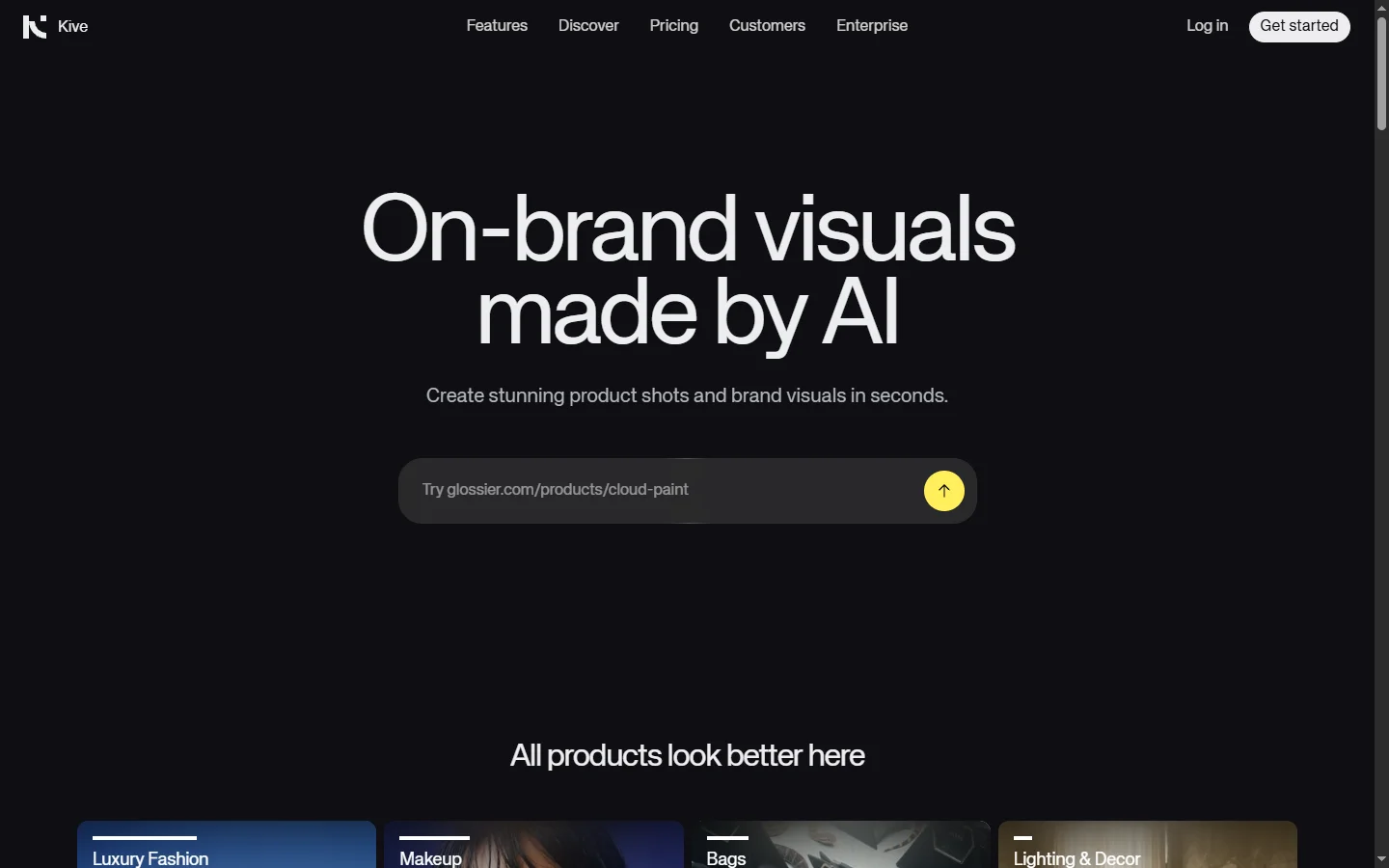
📋 About Kive AI
Kive AI is a creative platform built for visual professionals — brand designers, art directors, advertising agencies, and in-house creative teams — that combines AI-powered visual search, automatic moodboard creation, brand asset organization, and on-brand image generation in one workspace. The kive ai platform indexes millions of images from web sources and user uploads, lets teams search visually by style, mood, or composition rather than by keywords, and then uses generative AI to produce new images that match a campaign's established visual direction. This solves a chronic pain point for creative teams: maintaining visual consistency across hundreds of assets without spending hours on every brief.
Under the hood, kive ai uses embedding-based visual search to cluster and retrieve images by true visual similarity, not just tags. Teams upload reference decks, past campaigns, or Pinterest boards and the AI automatically groups assets into moodboards by color palette, subject matter, and style. When briefs need new imagery, the generative engine produces options tuned to the brand's existing visual language rather than generic stock aesthetics. Built-in collaboration tools let creative directors, strategists, and clients comment on references, approve directions, and hand off briefs without leaving the platform.
Kive AI is used by creative agencies, in-house brand teams, and freelance art directors who work in fast-moving visual industries where every pitch, social post, and campaign launch demands fresh reference material. Fashion brands use it for seasonal moodboards, advertising agencies use it for pitch decks, and product designers use it to organize inspiration and competitive references. By replacing scattered Dropbox folders, Pinterest boards, and shared drives with an AI-searchable creative library, teams cut research time dramatically and maintain brand consistency as they scale.
⚡ Key Features of Kive AI
AI Visual Search
Search millions of images by uploading a reference picture, drawing a rough sketch, or describing a vibe — the kive ai engine uses visual embeddings to return results that match style, mood, color palette, and composition rather than relying on tags. This surfaces inspiration and references that tag-based search would miss, particularly for niche aesthetics or brand-specific visual languages. Designers use it to explore styles faster than manually browsing Pinterest or stock libraries. Search supports filters for subject, color, era, and medium.
Automatic Moodboard Creation
Upload a batch of reference images and kive ai automatically clusters them into coherent moodboards by visual similarity, saving hours of manual sorting. Teams can feed the AI a Pinterest export, a shared drive folder, or a past campaign deck and get back organized moodboards ready to present. Moodboards support annotations, color palette extraction, and shareable links for client review. This turns reference gathering from a full-day task into a minutes-long workflow.
Brand-Consistent AI Image Generation
Generate new images tuned to a brand's visual language by training a custom style model on past campaigns, brand references, or moodboards. The output carries the color palette, composition, lighting, and subject conventions that define the brand rather than generic stock aesthetics. This lets creative teams produce iteration-ready concepts for pitches and campaigns without diluting brand identity. Generated images can be refined with prompts, references, or style sliders directly in the platform.
Creative Asset Library and Organization
Centralize campaign imagery, stock assets, reference photography, and generated visuals in a searchable team library with tags, collections, and permission controls. The kive ai search bar works across the full library so finding a specific shot or style across years of work takes seconds. Version history tracks which images were used in which campaigns for rights management and reuse. This replaces scattered Dropbox folders and Google Drive chaos with a structured visual workspace.
Brief and Collaboration Tools
Build creative briefs combining moodboards, generated references, written direction, and approval requests inside a single sharable link. Clients, strategists, and creative directors comment directly on images and approve directions without email back-and-forth. Brief templates and reusable components let teams move faster on recurring client work. Comments thread per image, and the platform preserves context as briefs evolve through revisions.
Pinterest and File Import
Import moodboards from Pinterest, Behance, Instagram, and local folders directly into kive ai where they become searchable and usable references for AI-assisted workflows. Bulk import handles thousands of images with automatic deduplication and clustering, turning years of scattered inspiration into an organized library. Creative teams often use this to migrate legacy reference collections into a modern AI-powered workspace. Source links are preserved for attribution and licensing reference.
Color Palette and Style Extraction
The platform automatically extracts color palettes, composition patterns, and stylistic motifs from uploaded references, giving creative teams structured data they can use in design tools, brand guidelines, or generation prompts. Palettes export in hex codes for use in Figma, Photoshop, or CSS. Style analysis highlights recurring visual traits across a set of references — useful for establishing direction on a new brand or campaign. This closes the gap between inspiration gathering and execution-ready specifications.
🎯 Use Cases for Kive AI
⚖️ Kive AI Pros & Cons
Advantages
- ✓Visual search surfaces references that keyword search misses
- ✓Brand-consistent image generation preserves visual identity
- ✓Strong collaboration features for agency and client workflows
- ✓Imports Pinterest and legacy folders to modernize libraries
- ✓Free tier makes it easy for individuals to evaluate
Drawbacks
- ✗Best value realized by teams, not solo users
- ✗Generative output still requires human curation for final campaigns
- ✗Premium style training locked to higher-tier plans
- ✗Learning curve to master visual search and tagging conventions
📖 How to Use Kive AI
Sign up at kive.ai and create a workspace for your team or individual projects.
Import reference images from Pinterest, Behance, or local folders to populate your library.
Let the kive ai engine cluster your references into moodboards automatically by visual similarity.
Use visual search by dropping a reference image to find similar styles across the platform's library and web index.
Train a brand-specific style model on past work so generated imagery stays on-brand for new campaigns.
Build a brief combining moodboards, generated references, and direction notes, then share with clients or teammates for review.
❓ Kive AI FAQ
Kive ai is a creative platform that combines AI-powered visual search, automatic moodboard creation, brand asset organization, and on-brand image generation for agencies, brand teams, and creative professionals.
Kive ai offers a free tier with limited storage and generations, while paid plans for individuals and teams typically start around $15 per month and scale up for agency-grade workspaces and advanced generative features.
Yes. The platform supports bulk import from Pinterest, Behance, and local folders, turning scattered inspiration into a searchable AI-powered library with automatic clustering and deduplication.
Yes. You can train a style model on your brand's past campaigns and references so generated imagery carries your color palette, composition, and subject conventions rather than generic aesthetics.
Solo designers and freelancers use kive ai for reference gathering and client projects, though the collaboration and asset management features deliver the most value when used by teams handling many clients or campaigns.
Related to Kive AI

A2E AI
A2E AI productivity platform converts audio and video recordings into transcripts, summaries, and action items with speaker identification.

Abnormal AI
Abnormal AI uses behavioral AI to detect business email compromise, account takeover, and socially engineered phishing that bypasses secure email gateways.

Abridge AI
Abridge AI medical documentation platform that records and summarizes clinical conversations into structured physician notes in real time.

Accrete AI
Accrete AI builds autonomous enterprise AI agents for defense, government, and commercial intelligence workflows.

Midjourney
Midjourney AI image generator that turns text prompts into high-quality artwork, illustrations, and photorealistic visuals.
Featured on WhatIf.ai
Add this badge to your website to show you're listed on WhatIf AI
Alternatives to Kive AI

A2E AI
A2E AI productivity platform converts audio and video recordings into transcripts, summaries, and action items with speaker identification.

Abnormal AI
Abnormal AI uses behavioral AI to detect business email compromise, account takeover, and socially engineered phishing that bypasses secure email gateways.

Abridge AI
Abridge AI medical documentation platform that records and summarizes clinical conversations into structured physician notes in real time.


Air AI
Air AI conducts autonomous full-length AI phone calls for sales prospecting, appointment setting, and customer service without human agents.