
Keywords AI
Freemium ✓ Verified 🔥 TrendingKeywords AI is an LLM monitoring and observability platform for developers building AI apps, offering logs, tracing, evaluations, and prompt management.
📋 About Keywords AI
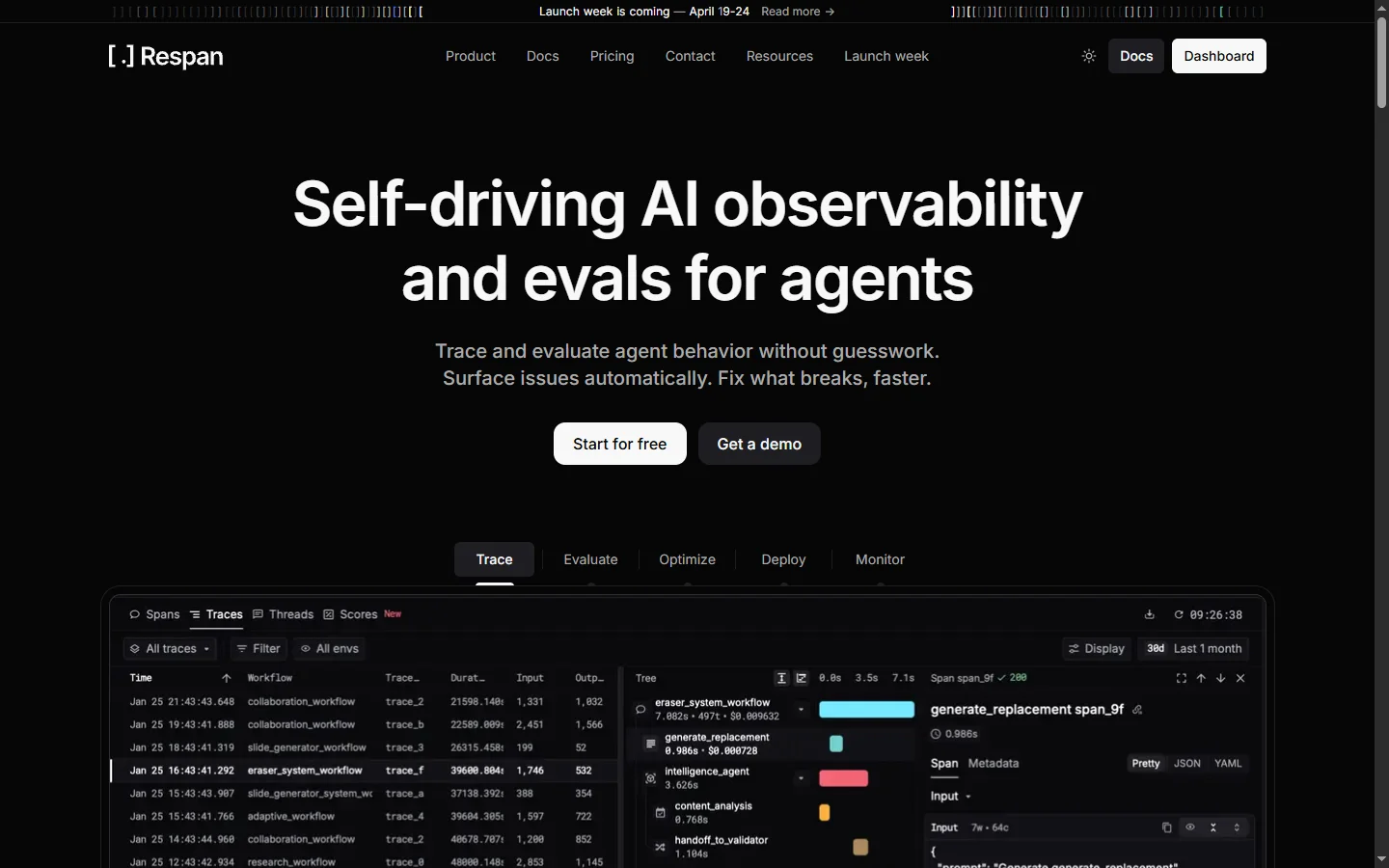
Keywords AI is an LLM observability and developer platform that gives teams building AI applications a unified dashboard for monitoring, debugging, evaluating, and optimizing their model usage across providers. The keywords ai platform sits between your application and LLM APIs — including OpenAI, Anthropic, Google, Mistral, and open-source models — capturing every prompt, response, latency, cost, and error so engineering teams can understand how their AI features perform in production. It targets the infrastructure gap that emerged as companies moved LLM features from prototypes to customer-facing products and discovered that traditional APM tools do not cover prompt-level concerns.
Beyond logging, keywords ai provides tracing for multi-step AI workflows, automated evaluations against reference answers and LLM-as-judge rubrics, prompt versioning and A/B testing, cost optimization analytics, and an OpenAI-compatible API gateway that automatically falls over to backup providers when primary APIs fail. Developers drop in the SDK or swap base URLs, and every request is instrumented without code changes. The platform also surfaces user-level analytics so teams can spot power users, detect abuse, and understand per-user economics. This turns LLM feature rollouts from black boxes into measurable, debuggable systems.
Keywords AI is used by AI-native startups and enterprise engineering teams shipping chatbots, agents, coding assistants, summarization pipelines, and customer support automation. It is particularly popular with teams that evaluate multiple models before choosing production defaults, those that need to prove compliance or quality claims to customers, and those whose LLM costs have grown large enough to warrant detailed attribution. By centralizing LLM infrastructure concerns in one platform, developers cut debugging time and gain confidence shipping AI features at scale.
⚡ Key Features of Keywords AI
LLM Request Logging and Tracing
Every prompt, completion, token count, latency measurement, and error is captured automatically when requests route through the keywords ai gateway or SDK. Multi-step agent workflows are traced end to end so developers can see how a single user request fans out across function calls, tool uses, and chained LLM calls. This visibility is critical for debugging why an agent failed or produced a poor response in production. Traces include full context including inputs, outputs, and metadata for each step.
Unified API Gateway Across Providers
The keywords ai gateway is OpenAI-compatible, so developers can point existing code at the keywords endpoint and immediately get access to OpenAI, Anthropic, Google, Mistral, Groq, and open-source models through a single base URL. Automatic failover routes traffic to backup providers when primary APIs fail or hit rate limits. Load balancing spreads traffic across models for cost or latency optimization. This turns multi-model architectures from a multi-week integration into a configuration change.
Prompt Versioning and Management
Store, version, and deploy prompts centrally rather than hardcoding them in application code, making prompt changes deployable without shipping new code. Teams can A/B test prompt variants in production, roll back problematic changes instantly, and track which prompt version produced which output. This separation of prompts from code speeds iteration and gives non-engineers like prompt engineers and product managers controlled access to production prompts. Every prompt version is tied to its performance data for confident deployment decisions.
Automated Evaluations
Run evaluations against reference answers, LLM-as-judge rubrics, or custom metrics on any subset of production traffic. Keywords ai supports regression testing — running new prompts or models against historical queries to check for quality changes — before deploying to full production. Evaluation scores feed into dashboards that track quality over time and alert when regressions appear. This is essential infrastructure for teams making quality claims to customers or running under regulatory scrutiny.
Cost and Usage Analytics
Detailed dashboards break down LLM spend by model, feature, user, team, and time period, revealing which features drive cost and where optimization would have the biggest impact. Cost alerts warn teams before runaway usage becomes a billing surprise. The platform also models the cost of alternative providers based on actual usage patterns, supporting data-driven decisions about switching models. This visibility is impossible to get from provider dashboards alone when teams use multiple models.
User-Level Analytics and Abuse Detection
Attribute LLM usage to end users or customer accounts so teams can understand per-user economics, identify power users, and detect abuse patterns like prompt injection attempts or excessive automation. Threshold-based alerts flag abnormal usage patterns for review. This user-level visibility also supports pricing decisions for SaaS companies building AI features into tiered plans. Usage data can be exported for billing integration.
Playground and Prompt Testing
A built-in playground lets developers and prompt engineers test prompts across multiple models side by side, comparing output quality, latency, and cost before promoting a prompt to production. Playgrounds can load real production requests to reproduce and debug issues. The keywords ai platform also supports team collaboration on prompts with comments, review workflows, and approval gates for sensitive changes. This closes the loop from production issue to prompt fix efficiently.
🎯 Use Cases for Keywords AI
⚖️ Keywords AI Pros & Cons
Advantages
- ✓OpenAI-compatible gateway — drop-in replacement for existing code
- ✓Unified observability across multiple LLM providers
- ✓Strong prompt versioning, evaluation, and A/B testing features
- ✓Fast to adopt — often minutes to first trace
- ✓Free tier covers solo developers and early-stage teams
Drawbacks
- ✗Adds a network hop — latency-sensitive apps may need direct calls
- ✗Enterprise features locked to higher-tier plans
- ✗Overkill for single-model, low-volume applications
- ✗Requires some instrumentation setup for advanced tracing
📖 How to Use Keywords AI
Sign up at keywordsai.co and generate an API key for your workspace.
Replace your OpenAI or Anthropic base URL with the keywords ai gateway endpoint in your application code.
Deploy and observe requests flowing through the keywords ai dashboard in real time with logs, traces, and latency data.
Configure fallback providers and load balancing to route traffic across models automatically during outages.
Move your production prompts into the prompt management system and deploy new versions without shipping code.
Set up evaluations and cost alerts to monitor quality and spend over time and catch regressions early.
❓ Keywords AI FAQ
Keywords ai is an LLM observability and developer platform for monitoring, debugging, evaluating, and routing requests across multiple AI providers from a single OpenAI-compatible gateway.
Developers either use the keywords ai SDK or point existing OpenAI-compatible code at the keywords gateway URL. Every request is logged and traced, and developers can add evaluations, fallback providers, and prompt management through the dashboard.
Yes, keywords ai offers a free tier generous enough for solo developers and early projects. Paid plans scale with request volume and add enterprise features like SSO, SLAs, and custom deployment options.
The platform supports OpenAI, Anthropic, Google, Mistral, Groq, Cohere, and most popular open-source models, plus custom endpoints for self-hosted deployments.
The gateway adds a small network hop that typically amounts to tens of milliseconds. For most production applications this is negligible, though latency-critical paths may prefer direct provider calls combined with the SDK for logging.
Related to Keywords AI

A2E AI
A2E AI productivity platform converts audio and video recordings into transcripts, summaries, and action items with speaker identification.

Abnormal AI
Abnormal AI uses behavioral AI to detect business email compromise, account takeover, and socially engineered phishing that bypasses secure email gateways.

Abridge AI
Abridge AI medical documentation platform that records and summarizes clinical conversations into structured physician notes in real time.

Accrete AI
Accrete AI builds autonomous enterprise AI agents for defense, government, and commercial intelligence workflows.
Featured on WhatIf.ai
Add this badge to your website to show you're listed on WhatIf AI
Alternatives to Keywords AI

A2E AI
A2E AI productivity platform converts audio and video recordings into transcripts, summaries, and action items with speaker identification.

Abnormal AI
Abnormal AI uses behavioral AI to detect business email compromise, account takeover, and socially engineered phishing that bypasses secure email gateways.

Abridge AI
Abridge AI medical documentation platform that records and summarizes clinical conversations into structured physician notes in real time.


Air AI
Air AI conducts autonomous full-length AI phone calls for sales prospecting, appointment setting, and customer service without human agents.