
Evoto AI
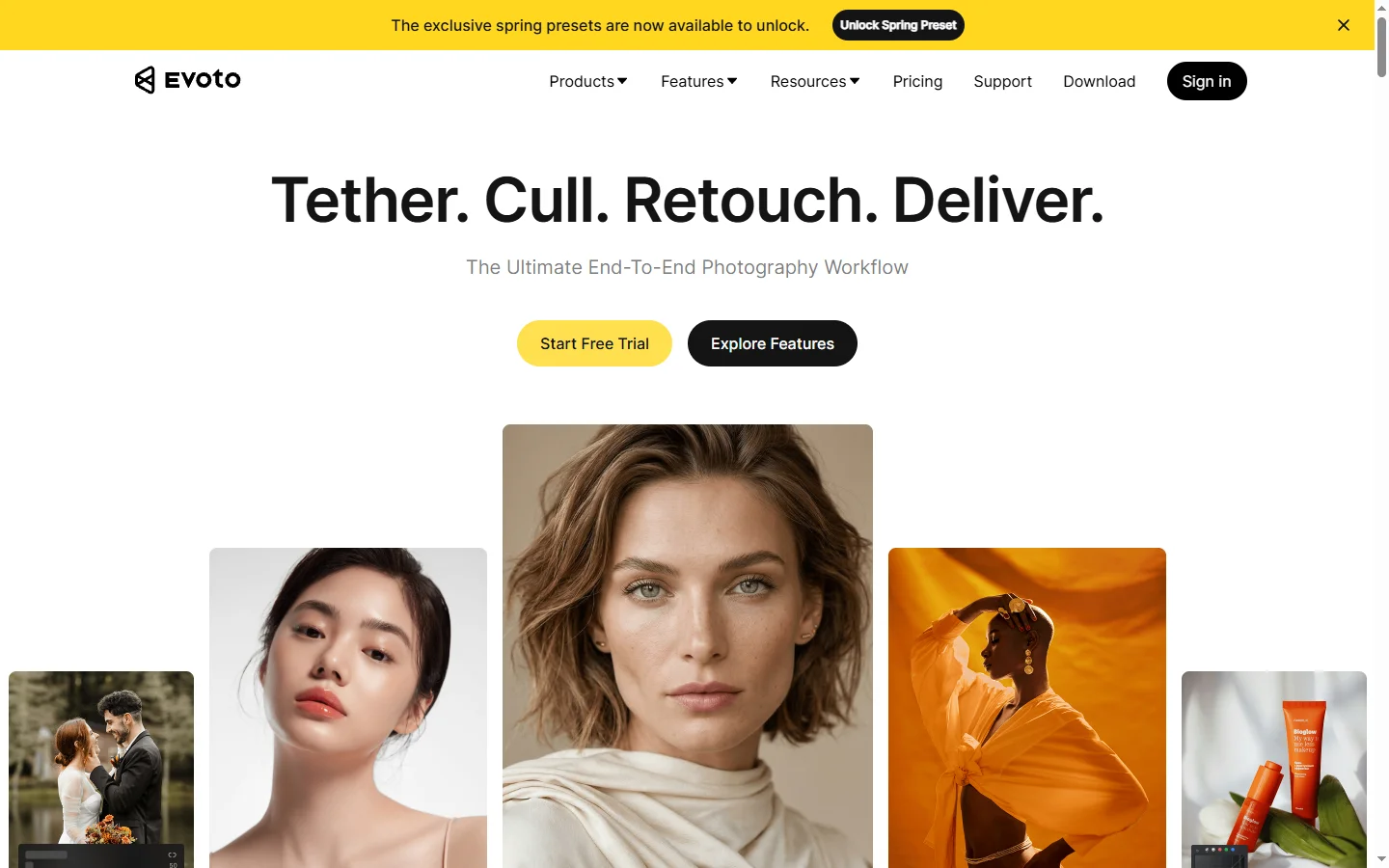
Freemium ✓ Verified 🔥 TrendingEvoto AI is a professional AI photo editor that automates skin retouching, color grading, and batch portrait enhancements for photographers at scale.
📋 About Evoto AI
Evoto AI is a desktop AI photo editor built specifically for professional photographers who need to retouch hundreds or thousands of portraits quickly without sacrificing the natural, high-end look that clients expect. The application combines automated skin retouching, body reshaping, color grading, background cleanup, and teeth whitening into a single batch-processing workflow that runs locally on macOS and Windows. Unlike cloud-based tools, Evoto works on a subscription-with-local-processing model, so sensitive client images never leave the photographer's machine.
The editor ships with intelligent selection tools that isolate skin, hair, eyes, teeth, clothing, and backgrounds so each element can be adjusted independently with non-destructive sliders. Photographers can build style presets that encode their signature look and apply them across entire shoots in seconds, then fine-tune individual images where needed. Exported files retain full resolution and metadata, ready for print or delivery.
Evoto AI serves wedding, portrait, event, and commercial photographers who process large volumes and view retouching time as the main bottleneck to accepting more work. A typical user reports collapsing a 10-hour editing session to 1 to 2 hours while maintaining the quality their clients expect. Pricing is subscription-based with volume tiers that match studio sizes.
⚡ Key Features of Evoto AI
AI Skin Retouching
Evoto's skin retouching isolates skin pixels from hair, clothing, and background with high accuracy, then applies frequency-separation-style smoothing that preserves natural texture. Blemishes, shadows, and uneven tone are reduced without the plastic look that plagues basic filter apps. Sliders control global and local intensity per image.
Batch Processing
Apply a saved preset to a folder of hundreds or thousands of images and let Evoto process them locally, with progress tracking and pause-resume support. Batch jobs can include skin retouching, color grading, background cleanup, and export in one pipeline. This is the core productivity feature for high-volume studios.
Color Grading and LUT Support
Evoto includes a full set of color grading controls including tone curves, split toning, HSL per channel, and LUT import-export for matching cinematic looks. Color workflows can be chained after AI retouching so grading applies to already-cleaned skin. Built-in presets cover common wedding, portrait, and editorial styles.
Body and Face Reshaping
Subtle body liquify and face reshaping tools use facial landmark detection to adjust proportions naturally without distorting backgrounds. Photographers use these to smooth clothing, refine jawlines, or correct posture issues from the shoot. Non-destructive sliders avoid the artifacts of manual liquify.
Background and Object Removal
Automated background cleanup removes distractions like power lines, tourists, and sensor dust without manual masking, while subject-preserving outpainting can extend backgrounds to reframe tight compositions. Advanced users can chain these with color grading in the same batch. Masks are editable when auto-detection misses.
Preset Library and Sharing
Photographers save their signature looks as presets and apply them across jobs or share them with studio team members. Evoto's community library adds presets contributed by top wedding and portrait photographers. Presets preserve all sliders, including AI intensity settings, for fully repeatable edits.
Local Processing
Processing runs locally on the photographer's macOS or Windows machine, which keeps client images out of the cloud for privacy and compliance. It also means processing speed scales with local hardware. Apple Silicon and modern Nvidia GPUs deliver near-real-time results on high-resolution files.
🎯 Use Cases for Evoto AI
⚖️ Evoto AI Pros & Cons
Advantages
- ✓Massive time savings on high-volume portrait retouching
- ✓Natural-looking skin results that preserve texture
- ✓Local processing keeps client images private
- ✓Deep preset library for repeatable studio workflows
- ✓One app replaces multiple specialized retouching plugins
Drawbacks
- ✗Subscription required beyond the free trial
- ✗Desktop only — no iPad or mobile app
- ✗High-end looks still benefit from manual retouching finishing
- ✗Requires modern GPU for best performance
📖 How to Use Evoto AI
Download Evoto AI from evoto.ai and install on macOS or Windows.
Import a folder of images and review the auto-detected faces, skin, and backgrounds.
Adjust skin retouching, color grading, and body reshaping sliders on a sample image.
Save the settings as a preset for the shoot or project style.
Apply the preset to the entire folder and let Evoto process in the background.
Review and fine-tune individual images as needed, then export at full resolution for delivery.
❓ Evoto AI FAQ
Evoto offers a free trial with a limited number of exports. Subscription plans start around $9 per month for individuals and scale up to studio tiers.
Yes. Evoto AI ships as native applications for macOS (Intel and Apple Silicon) and Windows.
No. Evoto processes images locally on your machine. Only license and anonymous diagnostic data are sent to Evoto's servers.
For portrait retouching workflows, many photographers use Evoto as their primary editor. Photoshop and Lightroom remain better for non-portrait work and for photographers who need pixel-level control. Most pros use them alongside Evoto.
Evoto supports RAW files from major camera manufacturers as well as JPEG, TIFF, and PNG for import and export.
Related to Evoto AI

A2E AI
A2E AI productivity platform converts audio and video recordings into transcripts, summaries, and action items with speaker identification.

Abnormal AI
Abnormal AI uses behavioral AI to detect business email compromise, account takeover, and socially engineered phishing that bypasses secure email gateways.

Abridge AI
Abridge AI medical documentation platform that records and summarizes clinical conversations into structured physician notes in real time.

Accrete AI
Accrete AI builds autonomous enterprise AI agents for defense, government, and commercial intelligence workflows.
Featured on WhatIf.ai
Add this badge to your website to show you're listed on WhatIf AI
Alternatives to Evoto AI

A2E AI
A2E AI productivity platform converts audio and video recordings into transcripts, summaries, and action items with speaker identification.

Abnormal AI
Abnormal AI uses behavioral AI to detect business email compromise, account takeover, and socially engineered phishing that bypasses secure email gateways.

Abridge AI
Abridge AI medical documentation platform that records and summarizes clinical conversations into structured physician notes in real time.


Air AI
Air AI conducts autonomous full-length AI phone calls for sales prospecting, appointment setting, and customer service without human agents.