
Curipod
Freemium ✓ Verified 🔥 TrendingCuripod is an AI lesson plan generator that creates interactive classroom slides, polls, and activities for K-12 teachers in minutes.
📋 About Curipod
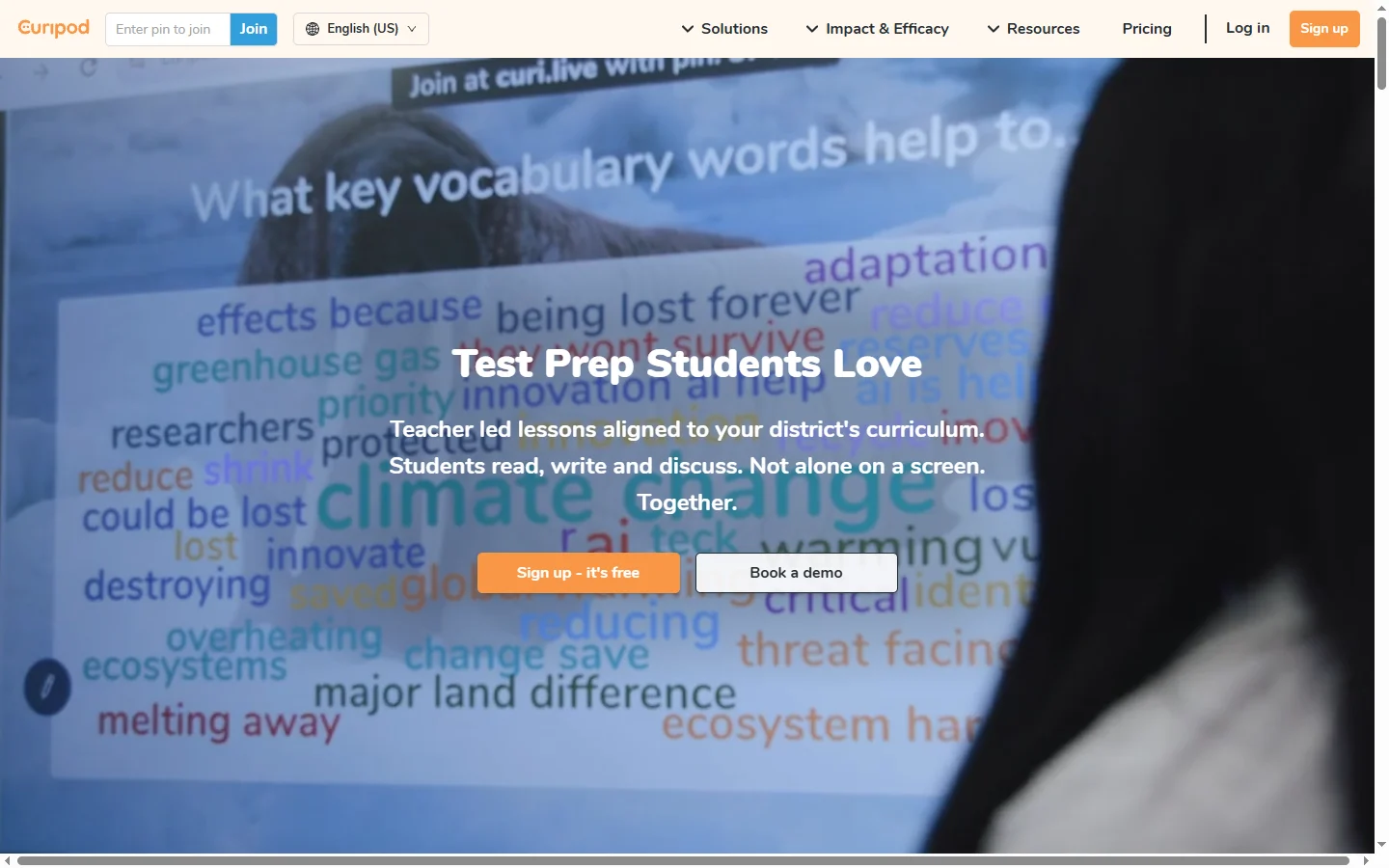
Curipod is an AI-powered lesson generation platform built specifically for K-12 teachers. The tool takes a topic, grade level, and time budget as input and produces a complete interactive classroom slide deck — including learning objectives, instructional content, polls, open-ended questions, word clouds, and drawing prompts — in under a minute. Lessons are designed around active learning principles, so every few slides include a moment where students respond on their own devices, keeping engagement high throughout the period.
What makes curipod stand out from generic AI slide tools is that it understands classroom workflow. Teachers can present the deck from any browser while students join via a session code, similar to Kahoot or Pear Deck. Student responses appear live for the class to discuss, and Curipod's AI feedback can offer real-time written feedback on student answers — a feature that has become particularly popular for short writing exercises. Templates are aligned to common K-12 subject areas including ELA, math, science, social studies, and SEL.
Curipod is free for individual teachers and offers school and district plans with admin dashboards, SSO, rostering, and standards alignment tools. The platform has grown rapidly across the US, UK, Norway, and other markets where teachers are looking for ways to use AI without sacrificing pedagogical quality. It is widely cited in EdTech communities as one of the most useful AI tools for working classroom teachers, alongside MagicSchool and Diffit.
⚡ Key Features of Curipod
AI Lesson Generator
Type in a topic, grade level, and lesson length, and curipod generates a full interactive deck in under a minute — including objectives, instructional slides, and student response activities. Lessons follow active learning patterns so engagement points are built into the structure, not bolted on. Teachers can preview the deck immediately and edit any slide before presenting. The generator supports a wide range of subjects from kindergarten reading to high school physics.
Interactive Student Response
Students join a Curipod lesson with a code on their own device and respond to polls, open-ended prompts, word clouds, and drawing activities in real time. Responses appear in the teacher's view immediately, providing instant formative assessment data. Teachers can choose to display student answers anonymously or with names, depending on the classroom dynamic. This live response model is core to how curipod drives engagement.
Real-Time AI Feedback on Writing
When students submit a written response, curipod can generate individualized AI feedback for each answer within seconds, giving every student timely guidance even in a classroom of thirty. Teachers control whether AI feedback is shown to students and can edit or override any AI output. This feature is especially valuable for short writing tasks where teachers cannot manually respond to every student in real time.
Standards Alignment
School and district plans include standards alignment tools that map generated lessons to Common Core, NGSS, and other state and national standards. Teachers and admins can search the lesson library by standard code to find or generate aligned content. This is a critical feature for districts where curriculum compliance reporting is required.
Lesson Library and Templates
Curipod hosts a library of community-shared lessons and curated templates that teachers can remix instead of starting from scratch. Templates cover routines like Do Now warmups, exit tickets, debate scaffolds, and reflection journals, alongside subject-specific frameworks. This shared library accelerates how quickly new teachers can adopt the tool.
Student Privacy and School Compliance
Curipod is built with K-12 privacy expectations in mind, including SOC 2 compliance, GDPR alignment, and student data handling that meets US student privacy frameworks. The platform does not require student email accounts — students join with a code — which removes a common friction for younger learners. District plans add SSO, rostering, and admin dashboards.
Multilingual Lesson Generation
Curipod can generate lessons in English, Spanish, Norwegian, German, French, and other languages, which makes it useful in bilingual classrooms and international schools. The student response interface also localizes to the lesson language. Teachers in dual-language programs frequently cite this as a differentiator versus US-only EdTech tools.
🎯 Use Cases for Curipod
⚖️ Curipod Pros & Cons
Advantages
- ✓Generates complete interactive lessons in under a minute
- ✓Active learning structure built into every generated deck
- ✓Real-time AI feedback on student writing scales individualized instruction
- ✓Free for individual teachers with strong K-12 privacy posture
- ✓Multilingual generation supports bilingual and international classrooms
Drawbacks
- ✗Some advanced features require school or district plans
- ✗AI-generated content still needs teacher review for subject accuracy
- ✗Best suited for K-12, less optimized for higher education or corporate training
📖 How to Use Curipod
Sign up at curipod.com using your school email or Google account.
Click 'Create lesson with AI,' enter a topic, grade level, and time budget.
Review the generated deck and edit slides, polls, or prompts as needed.
Click 'Present' to start the lesson and share the join code with students.
Watch student responses appear live and discuss them with the class.
Save lessons to your library and remix templates for future classes.
❓ Curipod FAQ
Yes, curipod is free for individual teachers with access to AI lesson generation, interactive slides, and the lesson library. School and district plans add admin features, SSO, and standards alignment.
Curipod focuses on interactive classroom slide decks that students respond to live during the lesson, while MagicSchool and Diffit emphasize content generation for teacher prep. Many teachers use them together — Diffit for differentiated reading materials, MagicSchool for teacher workflows, and Curipod for live in-class engagement.
No. Students join a curipod lesson with a code on their device — no email or account required. This removes signup friction for younger students and helps protect student privacy.
Curipod supports K-12 across subjects including ELA, math, science, social studies, and SEL. It can also be used in higher education and adult learning contexts, though templates are optimized for K-12.
Yes. Curipod follows K-12 privacy standards, is SOC 2 compliant, and aligns with GDPR and US student privacy frameworks. District plans include additional admin controls and data processing agreements.
Featured on WhatIf.ai
Add this badge to your website to show you're listed on WhatIf AI
Alternatives to Curipod


A2E AI
A2E AI productivity platform converts audio and video recordings into transcripts, summaries, and action items with speaker identification.


Abnormal AI
Abnormal AI uses behavioral AI to detect business email compromise, account takeover, and socially engineered phishing that bypasses secure email gateways.


Abridge AI
Abridge AI medical documentation platform that records and summarizes clinical conversations into structured physician notes in real time.


Air AI
Air AI conducts autonomous full-length AI phone calls for sales prospecting, appointment setting, and customer service without human agents.