
Cora AI
Paid ✓ Verified 🔥 TrendingCora AI is an AI email assistant that triages, summarizes, and drafts email replies so users keep only the messages that need them.
📋 About Cora AI
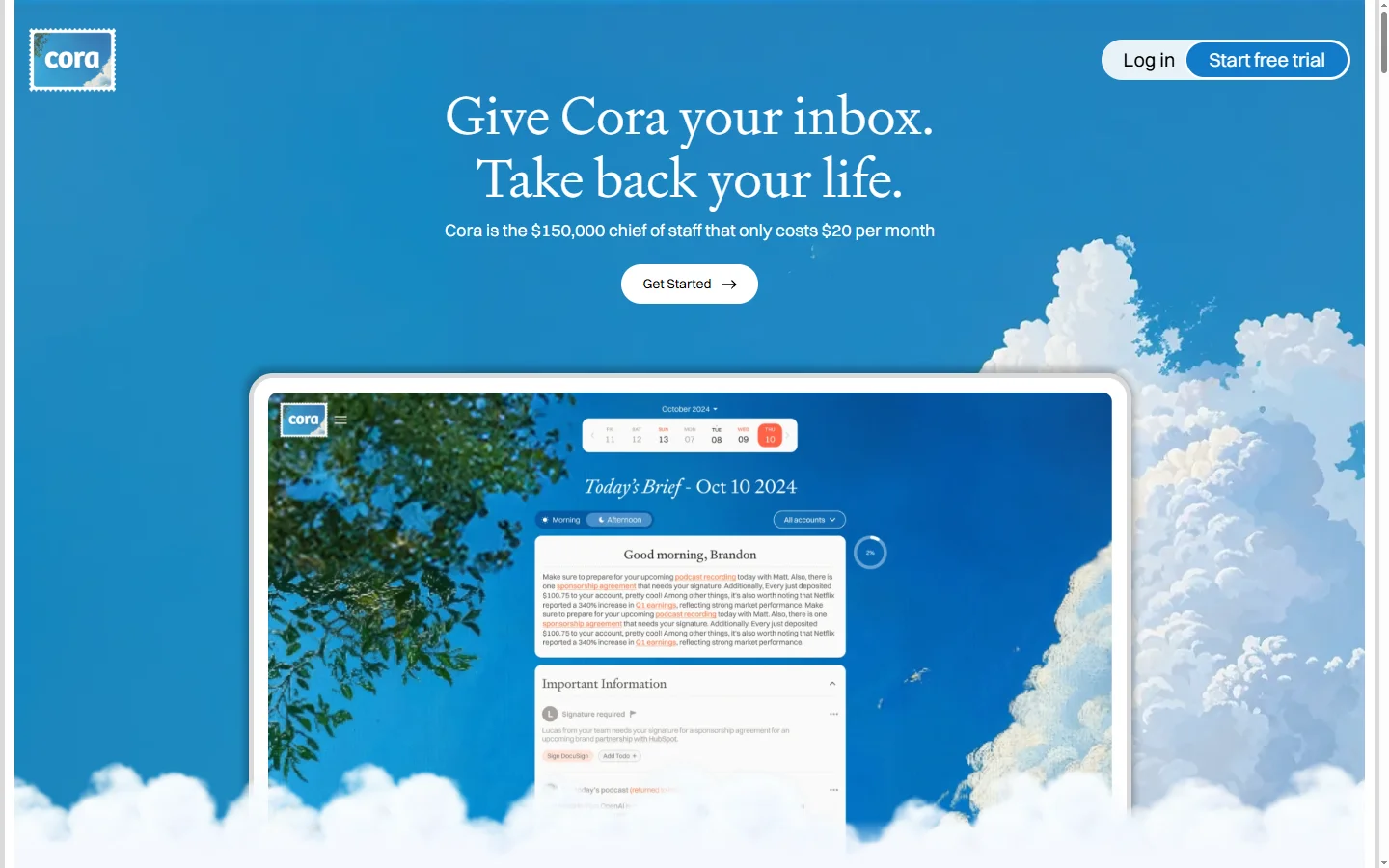
Cora AI is an AI-powered email assistant designed to eliminate the daily drag of inbox triage. Instead of showing every incoming message and making users decide one at a time, Cora reads the inbox, separates messages that need human judgment from those that do not, handles the routine ones automatically with drafted replies or summaries, and delivers a twice-daily briefing of what actually matters. Users make decisions on a short curated list rather than scrolling a full inbox.
The system works on top of existing Gmail and Outlook accounts through secure OAuth connections rather than asking users to adopt a new mail client. Cora learns each user's voice, typical responses, and priority contacts over time so draft replies match personal tone rather than sounding generic. Summaries are concise enough to read in minutes, and the app preserves the underlying email workflow — original messages, threads, and labels remain in the mailbox — so users keep existing search, archive, and compliance behaviors.
Cora AI targets founders, executives, investors, consultants, and knowledge workers drowning in email where triage itself has become a job. Typical customers are people who receive more than a hundred meaningful messages per day and find that managing the inbox actively is eating into deep work. Pricing is subscription-based with tiers oriented to individuals and small teams, with a waitlist-style onboarding during growth phases of the service.
⚡ Key Features of Cora AI
Twice-Daily Briefings
Instead of a continuous stream of notifications, Cora AI delivers two curated briefings per day summarizing what needs attention and what has already been handled. Users batch email decisions into two focused sessions rather than context-switching constantly. This protects deep-work time and reduces the cognitive tax of inbox monitoring.
AI-Drafted Replies in Your Voice
For messages that need a reply, Cora generates drafts that match the user's writing style based on past sent messages. Users review and send with minimal editing rather than starting from scratch. Over time the tone match improves as Cora sees more examples of how the user actually writes. This dramatically reduces the time from receiving an email to shipping a response.
Intelligent Triage
Cora categorizes incoming messages — messages that need you, messages that are informational, newsletters, and low-priority noise — so the user only sees the first category by default. Other categories are summarized for reference without demanding immediate attention. This separates real decisions from background email volume.
Works With Gmail and Outlook
Cora connects to existing email accounts through OAuth rather than replacing them. Users keep their current mail client, labels, and folder structure, and can still access the raw inbox whenever needed. This removes the adoption friction of switching mail tools entirely.
Learns Priority Contacts
The system learns which senders are important based on response patterns, relationship frequency, and explicit user feedback. Messages from priority contacts are surfaced promptly while peripheral threads are batched. This recreates the intuition a human assistant builds over time about who matters for each role.
Privacy-First Architecture
Cora uses secure OAuth connections and processes email content with care for privacy, without using personal data to train public models. Users retain full control of their mailbox and can disconnect Cora at any time, after which access is revoked cleanly. This is important because inboxes contain sensitive correspondence.
🎯 Use Cases for Cora AI
⚖️ Cora AI Pros & Cons
Advantages
- ✓Twice-daily briefings replace constant notifications
- ✓Draft replies match personal voice over time
- ✓Works with existing Gmail and Outlook accounts
- ✓Preserves raw inbox, labels, and compliance behaviors
- ✓Reduces hours of daily triage without losing signal
Drawbacks
- ✗Subscription-only with no free tier
- ✗Requires granting Cora access to sensitive email content
- ✗Waitlist during periods of high demand
- ✗Not ideal for users who need real-time notifications
📖 How to Use Cora AI
Visit cora.computer and sign up for an account or join the waitlist if one is active.
Connect your Gmail or Outlook account through OAuth during onboarding.
Let Cora observe your email for a short learning period to model your voice and priorities.
Receive your first twice-daily briefing of messages that need attention and summaries of the rest.
Review and send drafted replies Cora prepares, editing them to taste as needed.
Provide feedback on priority and tone over time — Cora's triage and drafts improve with usage.
❓ Cora AI FAQ
Cora AI is an AI email assistant that triages incoming mail, drafts replies in your voice, and delivers twice-daily briefings so you process email in focused sessions instead of continuously monitoring your inbox.
Cora AI works with Gmail and Outlook accounts through secure OAuth connections. Users keep their existing mail client, labels, and folders.
Cora AI is offered through paid subscription tiers oriented to individuals and small teams. Check the Cora website for current pricing, which may change as the service expands capacity.
Cora uses secure OAuth and processes email with privacy in mind, without using personal email content to train public models. Users can revoke access at any time, after which the connection is cleanly severed.
By default Cora drafts replies for user review rather than sending autonomously. Users can review and send with one click, keeping control over outgoing messages while saving drafting time.
Related to Cora AI

A2E AI
A2E AI productivity platform converts audio and video recordings into transcripts, summaries, and action items with speaker identification.

Abnormal AI
Abnormal AI uses behavioral AI to detect business email compromise, account takeover, and socially engineered phishing that bypasses secure email gateways.

Abridge AI
Abridge AI medical documentation platform that records and summarizes clinical conversations into structured physician notes in real time.

Accrete AI
Accrete AI builds autonomous enterprise AI agents for defense, government, and commercial intelligence workflows.
Featured on WhatIf.ai
Add this badge to your website to show you're listed on WhatIf AI
Alternatives to Cora AI

A2E AI
A2E AI productivity platform converts audio and video recordings into transcripts, summaries, and action items with speaker identification.

Abnormal AI
Abnormal AI uses behavioral AI to detect business email compromise, account takeover, and socially engineered phishing that bypasses secure email gateways.

Abridge AI
Abridge AI medical documentation platform that records and summarizes clinical conversations into structured physician notes in real time.


Air AI
Air AI conducts autonomous full-length AI phone calls for sales prospecting, appointment setting, and customer service without human agents.